
The "Wages Import List" feature in the HRMex Time and Attendance software, accessible from the Payroll menu, offers a convenient way to update and manage employee wages. This feature allows users to modify wages for specific employees or import data from Excel files.
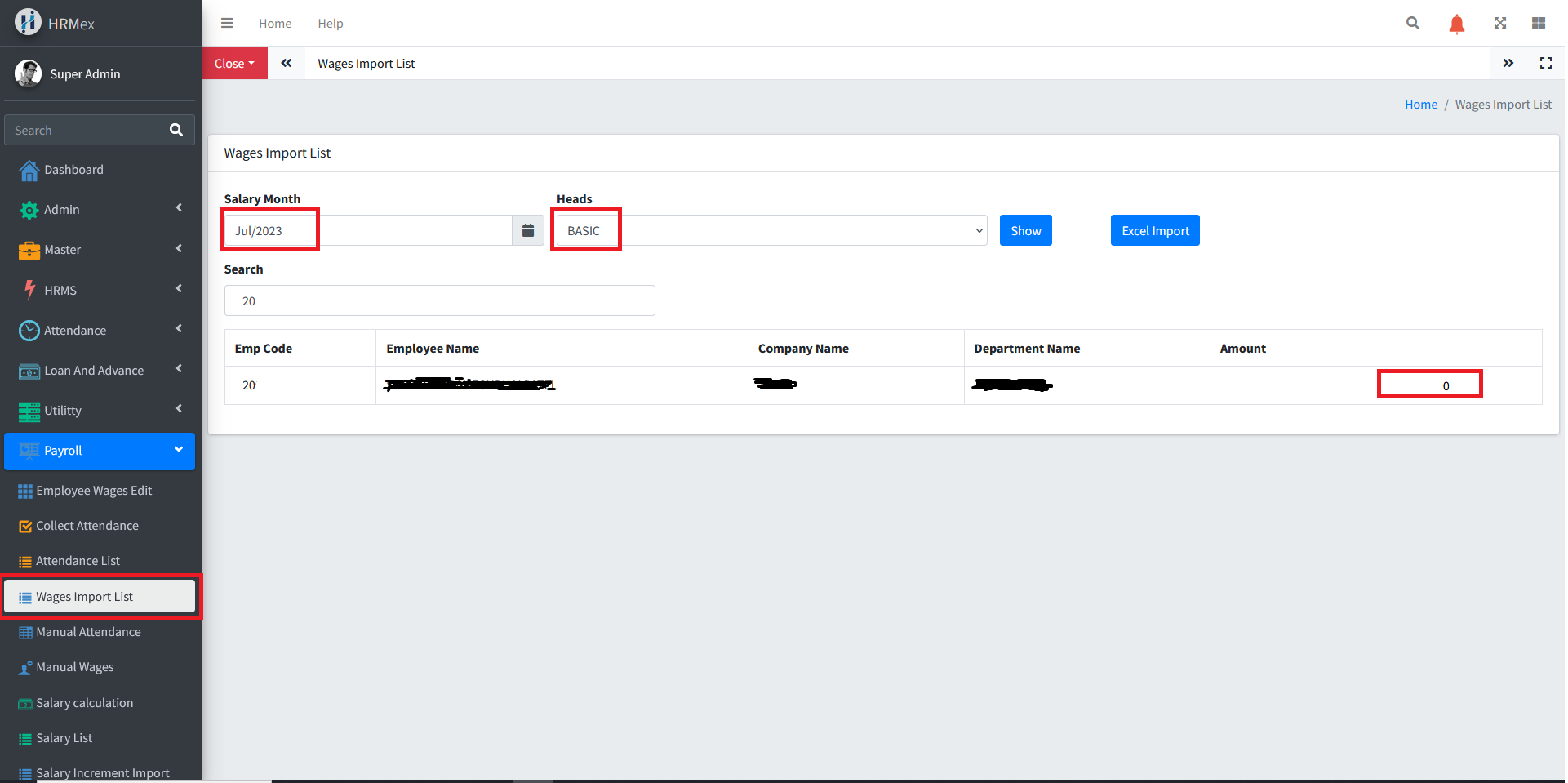
Accessing Wages Import List
Log in: Start by logging into the HRMex Time and Attendance software using your credentials.
Navigate to Payroll Menu: In the main menu, click on the "Payroll Menu" option.
Access Wages Import List: Within the Payroll Menu, locate and select the "Wages Import List" option. This opens the Wages Import List interface.
Updating Employee Wages
The Wages Import List interface provides various options to update employee wages. Here's how to use this feature:
Select the Month: Choose the specific month for which you want to update employee wages.
Select the Salary Head: Pick the salary head in which you need to make updates.
Show Employee List: After selecting the month and salary head, the employees who require updates will be displayed. You'll find textboxes next to each employee's name, allowing you to enter the updated wage value.
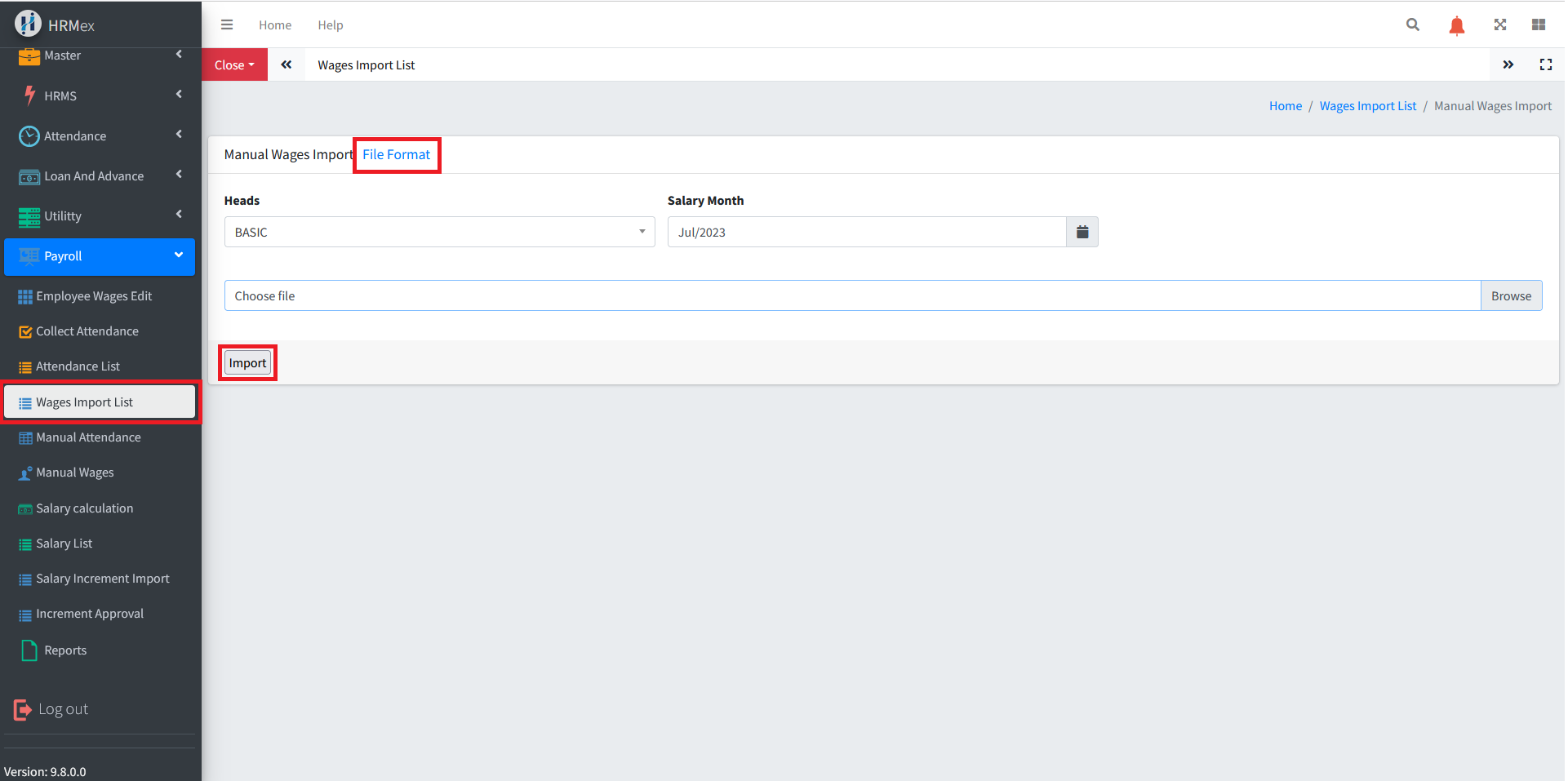
Excel Import: To update multiple values at once, you can use the "Excel Import" button. This option enables you to select the month, the salary head, and an Excel file for importing data.
File Format: The "File Format" button provides an example of how the Excel sheet should be formatted for correct data import. It's crucial to follow this format for successful data upload.
Benefits of Wages Import List
- Efficiency: Quickly update employee wages, whether for one or multiple employees.
- Flexibility: Customize wage updates by selecting the specific month and salary head.
- Bulk Updates: Use the Excel Import feature for efficient mass updates.
- Data Integrity: Ensure the accuracy of employee wage records.
The "Wages Import List" feature in HRMex Time and Attendance software simplifies the process of updating and managing employee wages, offering users flexibility and efficiency in handling payroll data.