
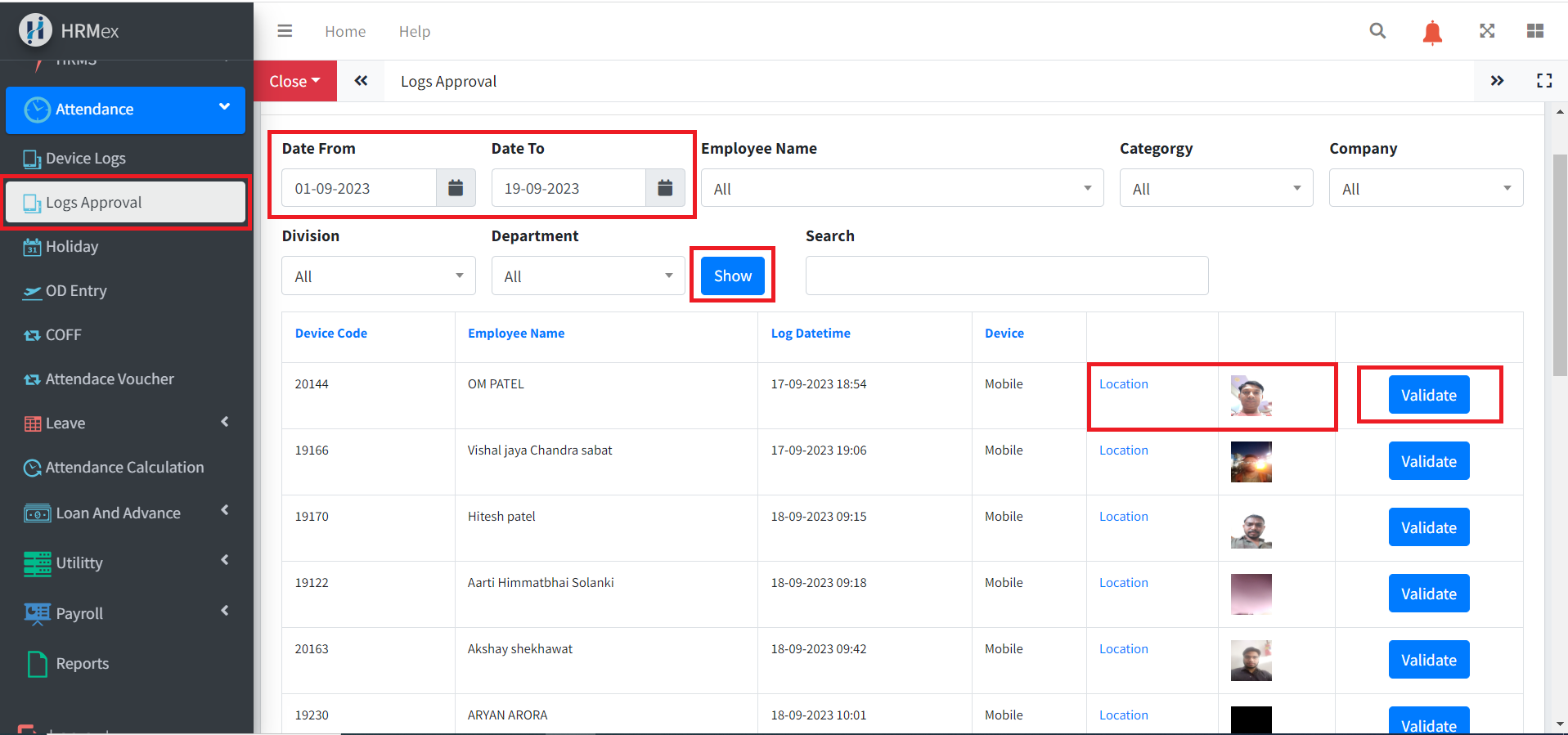
HRMex Time Attendance Software provides a powerful Logs Section that allows you to manage and validate various types of logs, particularly Mobile Punches with Selfies and GPS Locations. In this section, you can review these logs, view associated selfies and GPS locations, and validate them to ensure accurate attendance records.
Accessing the Logs Section
- Log in to HRMex: Start by logging in to the HRMex Time Attendance Software using your credentials.
- Navigate to Logs: Once logged in, access the Logs Section from the navigation Attendance menu.
Mobile Punch with Selfie and GPS Location Logs
In the Logs Section, you can access and manage logs related to mobile punches made by employees using the HRMex mobile app. These logs typically include:
- Timestamps: The date and time when the mobile punch was made.
- Selfies: Employee selfies taken during the punch to verify their identity.
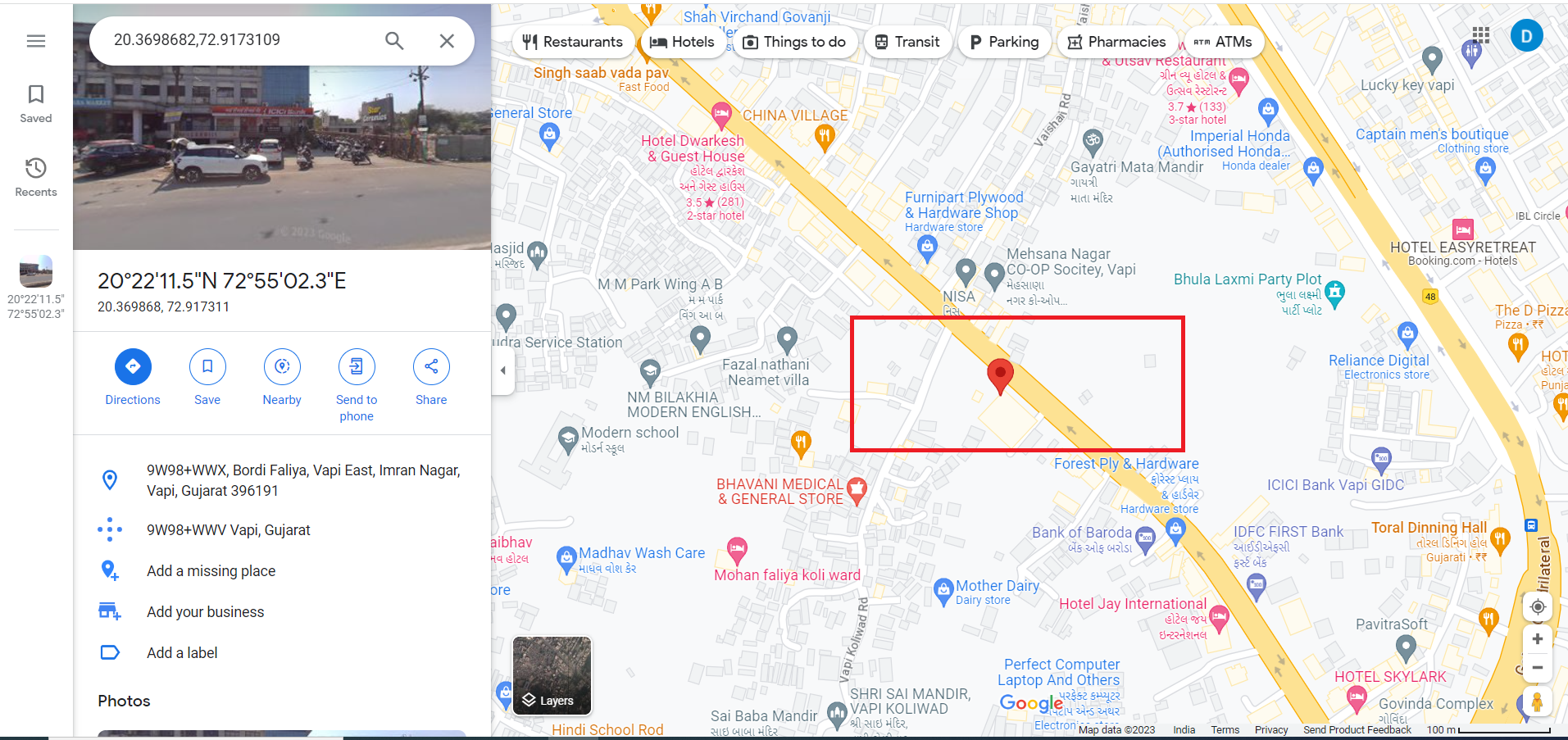
- GPS Location: The GPS coordinates of the punch location.
Key actions you can perform in this section include:
- Viewing Punch Details: Access detailed information about each punch, including the timestamp, selfie, and GPS location.
- Validating Logs: To ensure the accuracy and legitimacy of the logs, click the "Validate" button. Validating a log indicates that you have reviewed it and confirmed its correctness. This step is crucial for maintaining accurate attendance records.
- Filtering and Sorting: Use filters and sorting options to narrow down your log search based on criteria such as date, employee, or location.
Selfie and Location Validation
The validation process is a critical step in the Logs Section. Here's how it works:
- Review Logs: Start by reviewing the mobile punch logs, including the associated selfie and GPS location.
- Validation: After confirming the accuracy of the log, click the "Validate" button. This action indicates that you have verified the punch details.
- Approval: Validated logs are typically marked with a validated status, making it easy to identify which logs have been reviewed and approved.
- Records Update: The validated logs are automatically updated in the attendance records, reflecting the accurate clock-in or clock-out time and location.
Benefits of Validation
The validation process in the Logs Section offers several benefits:
- Accuracy: Ensures that only legitimate and verified punches are recorded in the attendance system, reducing errors.
- Security: Verifies employee identities through selfies, enhancing security and preventing buddy punching.
- Compliance: Helps maintain compliance with labor laws and regulations by providing accurate attendance data.
- Efficiency: Streamlines the approval process, making it easier for administrators to manage attendance records.
Conclusion
The Logs Section in HRMex Time Attendance Software is a crucial component for managing mobile punch logs, including selfies and GPS locations. The ability to validate these logs ensures the accuracy and integrity of your attendance records, enhancing security and compliance while simplifying the approval process.