
The "Salary Increment Import" feature in HRMex Time and Attendance software, accessible from the Payroll menu, is a valuable tool for requesting and processing salary increments for employees. This feature allows users to select the month, import data from an Excel sheet, preview the data for errors, and initiate the increment request.
Accessing Salary Increment Import
- Log in: Begin by logging into the HRMex Time and Attendance software using your credentials.
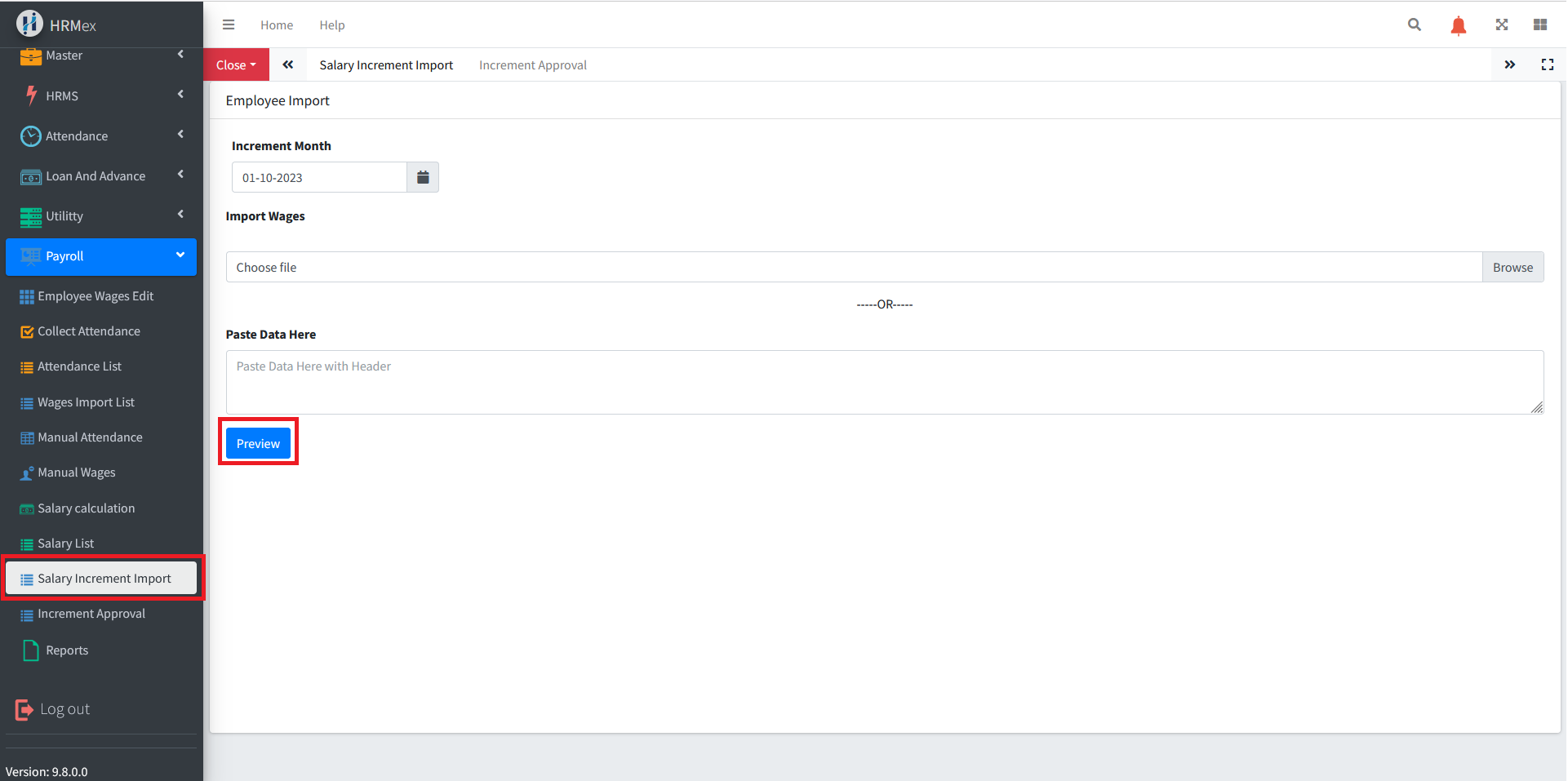
- Navigate to Payroll Menu: In the main menu, click on the "Payroll Menu" option.
- Access Salary Increment Import: Within the Payroll Menu, locate and select the "Salary Increment Import" option. This opens the Salary Increment Import interface.
Initiating Salary Increment Request
The Salary Increment Import interface provides the tools necessary for initiating salary increment requests. Here's how to use this feature:
Select the Month: Start by choosing the specific month for which you want to request salary increments.
Import Data: You have two options for importing data:
- Excel Sheet: You can import an Excel sheet containing all the increment data for employees, including their codes and the corresponding salary heads.
- Textbox Data: Alternatively, you can manually enter the data into a textbox if you don't want to use an entire Excel file.
Press "Preview": After importing the data, click the "Preview" button to validate the format and data. The preview checks for errors in employees' codes and salary heads. If any errors are detected, the data is displayed in different colors to highlight issues.
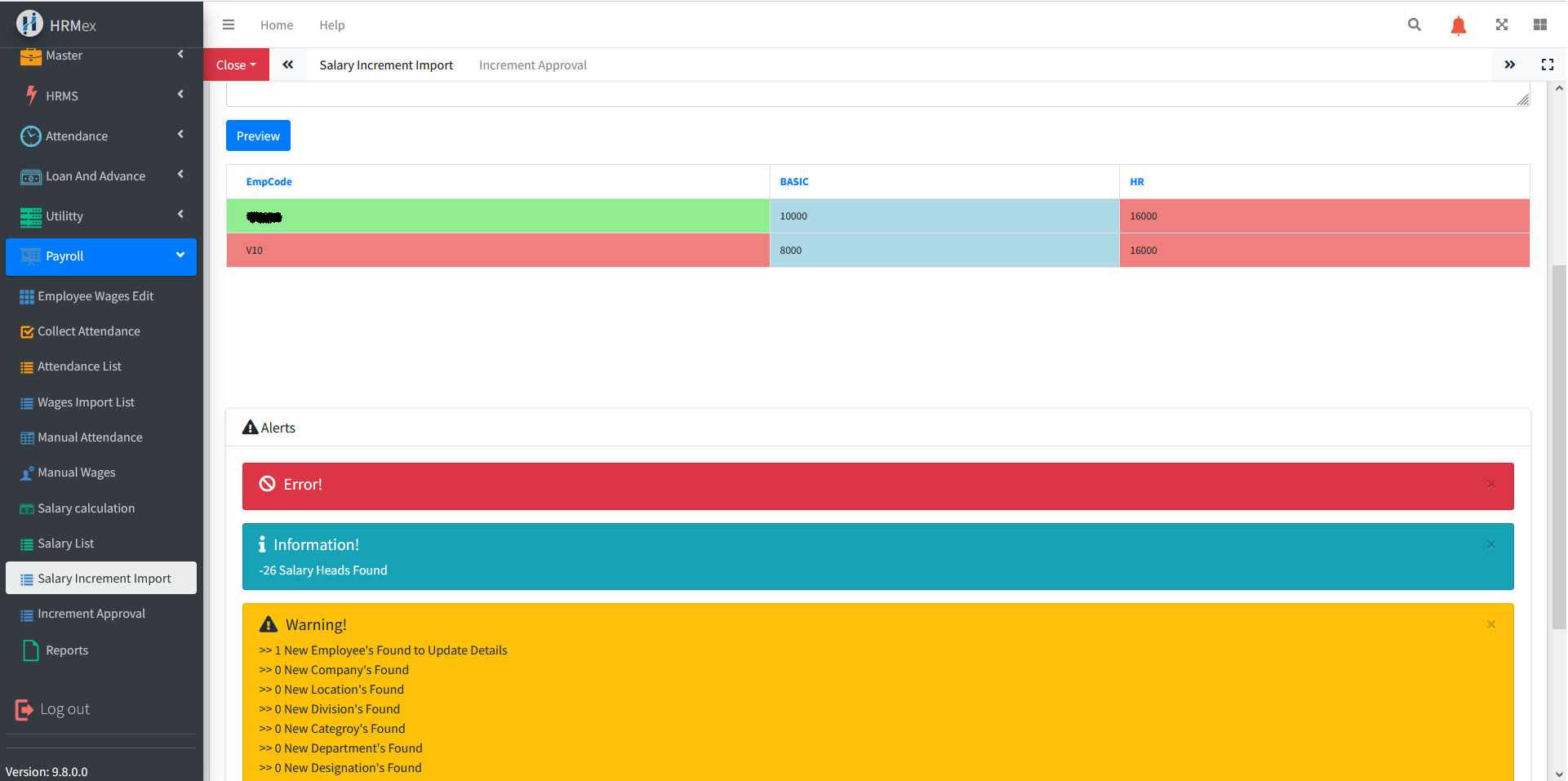
Review Alert Section: In the preview, there is an alert section that provides a brief summary of the data and format. It will indicate whether the data is correct or if there are any errors that need attention.
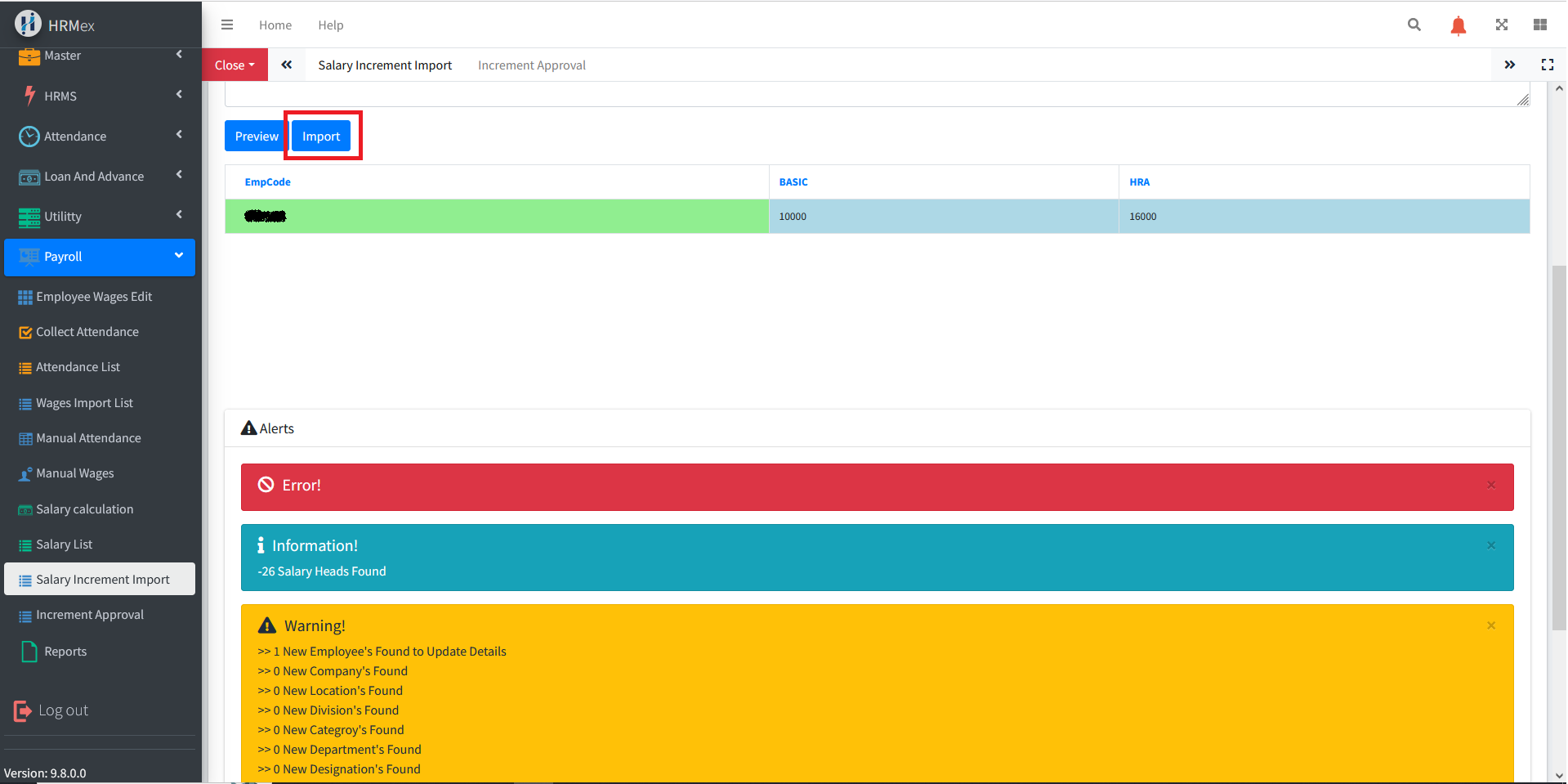
Import Data: Once the format and data are confirmed to be correct, click the "Import" button to initiate the salary increment request for further processing.
Benefits of Salary Increment Import
- Efficiency: Quickly initiate salary increment requests for a specific month without manual entry.
- Error Detection: The preview function helps identify errors in employees' codes and salary heads.
- Customization: Import data in Excel format or manually enter it into the textbox.
The "Salary Increment Import" feature in HRMex Time and Attendance software streamlines the process of requesting and processing salary increments, ensuring data accuracy and efficiency.