
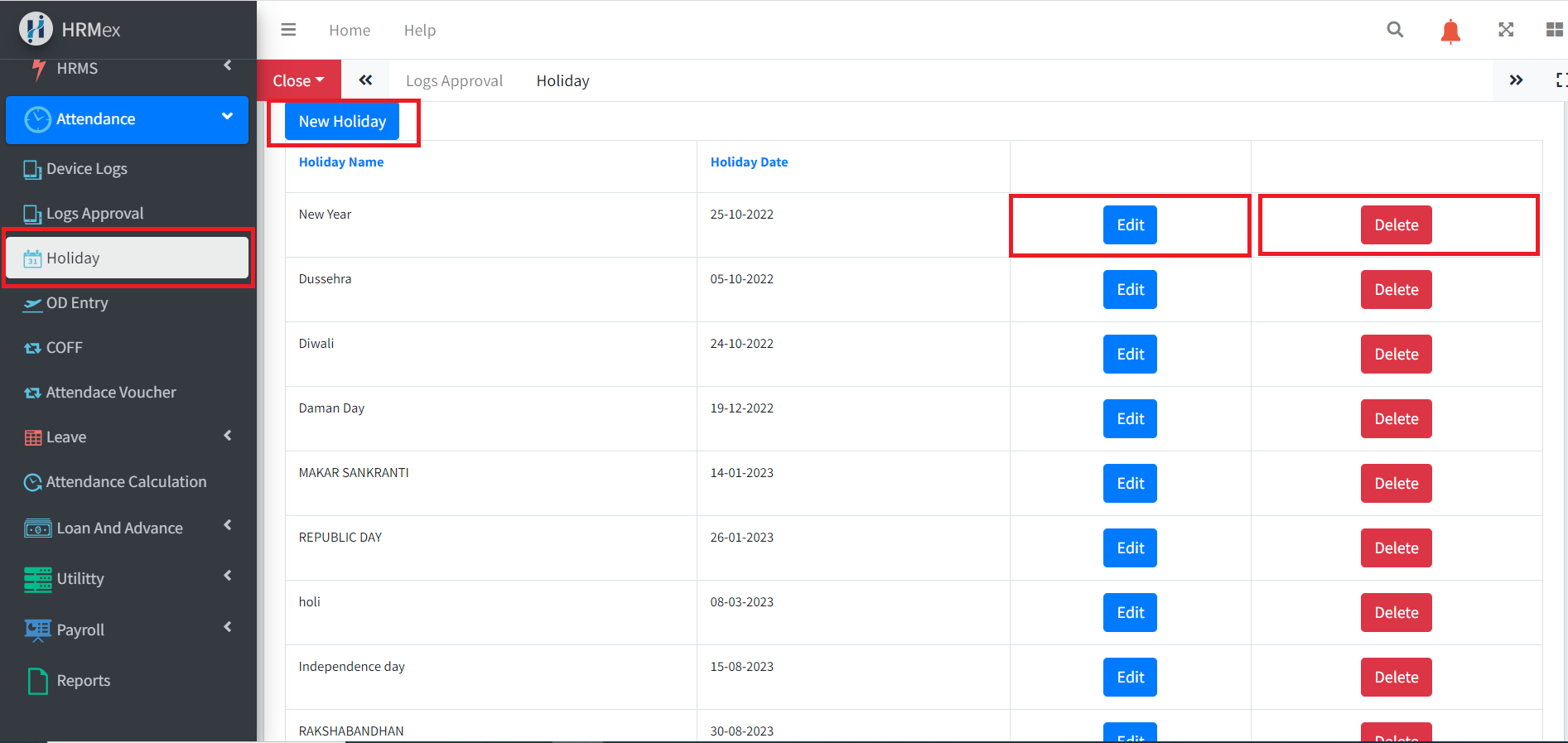
The Holiday List Section in HRMex Time Attendance Software allows you to manage and maintain a list of public holidays. In this section, you can add new holidays, edit existing ones, delete holidays, and categorize them into holiday groups. This feature ensures accurate tracking of holidays for your organization.
Accessing the Holiday List Section
- Log in to HRMex: Start by logging in to the HRMex Time Attendance Software using your credentials.
- Navigate to Holiday List: Once logged in, access the Holiday List Section from the Attendance navigation menu.
Adding a New Public Holiday
In the Holiday List Section, you can easily add new public holidays to your organization's calendar. Here's how:
Click "New Holiday": Locate the "New Holiday" button and click on it to create a new holiday entry.
Fill in Holiday Details:
- Holiday Name: Enter the name of the holiday (e.g., Christmas, New Year's Day).
- Holiday Date: Specify the date of the holiday.
- Holiday Group: Select a predefined holiday group or create a new one if applicable. Holiday groups help categorize and manage holidays efficiently.
Save: After entering the holiday details, click the "Save" button to add the new holiday to the list.
Editing an Existing Holiday
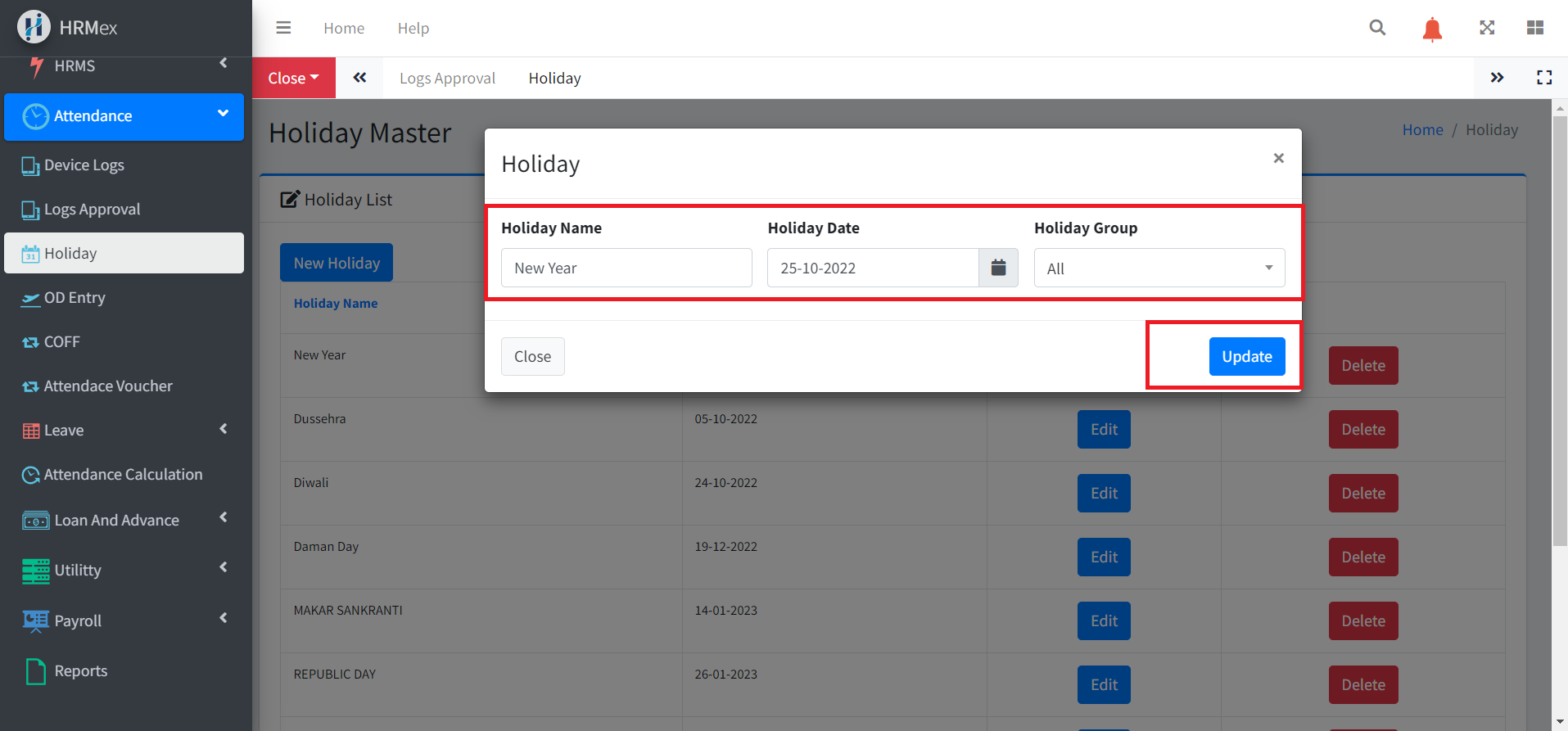
If you need to make changes to an existing holiday entry, follow these steps:
- Locate the Holiday: In the Holiday List Section, find the holiday you want to edit.
- Edit Holiday Details: Click on the holiday entry to open it for editing.
Modify the Holiday Name, Holiday Date, or Holiday Group as needed.
- Save Changes: After making the necessary updates, click the "Update" button to save the changes.
Deleting a Holiday
When a holiday entry is no longer relevant or needs to be removed from the list, you can delete it:
- Find the Holiday: Locate the holiday you wish to delete from the Holiday List.
- Delete Holiday: Click on the holiday entry to select it, then look for the "Delete" or "Remove" button. Confirm the deletion when prompted.
- Confirmation: A confirmation dialog may appear to ensure you want to delete the holiday. Confirm the action to proceed.
Benefits of the Holiday List Section
The Holiday List Section in HRMex Time Attendance Software offers several advantages:
- Efficiency: Simplifies the management of public holidays by providing a centralized platform for adding, editing, and deleting holiday entries.
- Organization: Categorizes holidays into holiday groups, making it easier to manage and differentiate them.
- Accuracy: Helps ensure that your organization's time and attendance records account for all public holidays accurately.
- Compliance: Supports compliance with labor laws and regulations by tracking and managing public holidays effectively.
Conclusion
The Holiday List Section in HRMex Time Attendance Software streamlines the management of public holidays for your organization. With the ability to add, edit, and delete holidays, as well as categorize them into holiday groups, you can maintain accurate attendance records while ensuring compliance with labor regulations.