
The "Employee Import" feature in HRMex Time and Attendance software, accessible from the "Utility" menu, is a powerful tool for importing multiple employees at once. This feature allows users to import employee data either by uploading an Excel spreadsheet or by pasting data with headers into the provided space. The software checks the format of the data, highlights any errors, and allows the user to correct them before importing the employees.
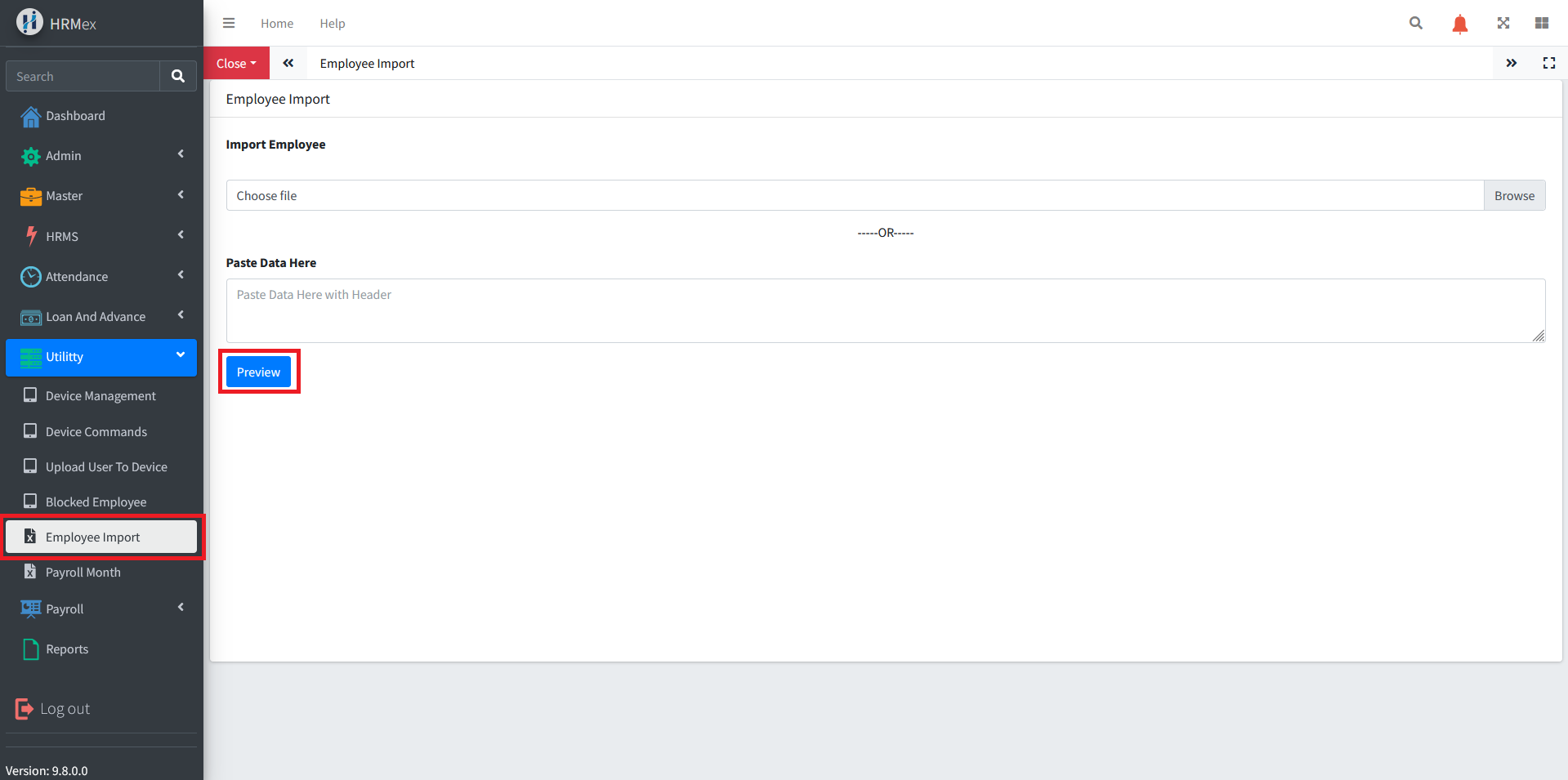
Accessing Employee Import
- Log in: Begin by logging into the HRMex Time and Attendance software using your credentials.
- Navigate to Utility Menu: In the main menu, click on the "Utility" menu option.
- Access Employee Import: Within the Utility menu, locate and select the "Employee Import" option. This opens the Employee Import interface.
Importing Multiple Employees
The Employee Import interface provides the tools necessary for importing multiple employees. Here's how to use this feature:
Choose Import Method: Decide whether you want to import employees from an Excel spreadsheet or by pasting data with headers into the provided space.
Upload Excel Sheet: If you choose to upload an Excel sheet, click on the "Upload Excel" button, and select the Excel file containing the employee data. The software will extract the data for you.
Paste Data: If you prefer to paste data, simply paste the data with headers into the designated space.
Click "Preview": After uploading or pasting the data, click the "Preview" button. The software will check the format and integrity of the data. Any errors will be highlighted in red, and corrected data will be shown in blue.
Review and Correct Errors: Carefully review any highlighted errors and make the necessary corrections. Ensure that all data is accurate and in the correct format.
Click "Import": Once all data is in the correct format and any errors have been resolved, click the "Import" button. The software will import the employees into the system.
Benefits of Employee Import
- Efficiency: Easily import multiple employees at once, saving time and effort.
- Validation: The software checks data integrity and format, ensuring accurate employee information.
- Bulk Import: Simplify the process of adding employees in large numbers to the system.
The "Employee Import" feature in HRMex Time and Attendance software streamlines the process of importing multiple employees, ensuring data accuracy and efficiency in HR and attendance management.