
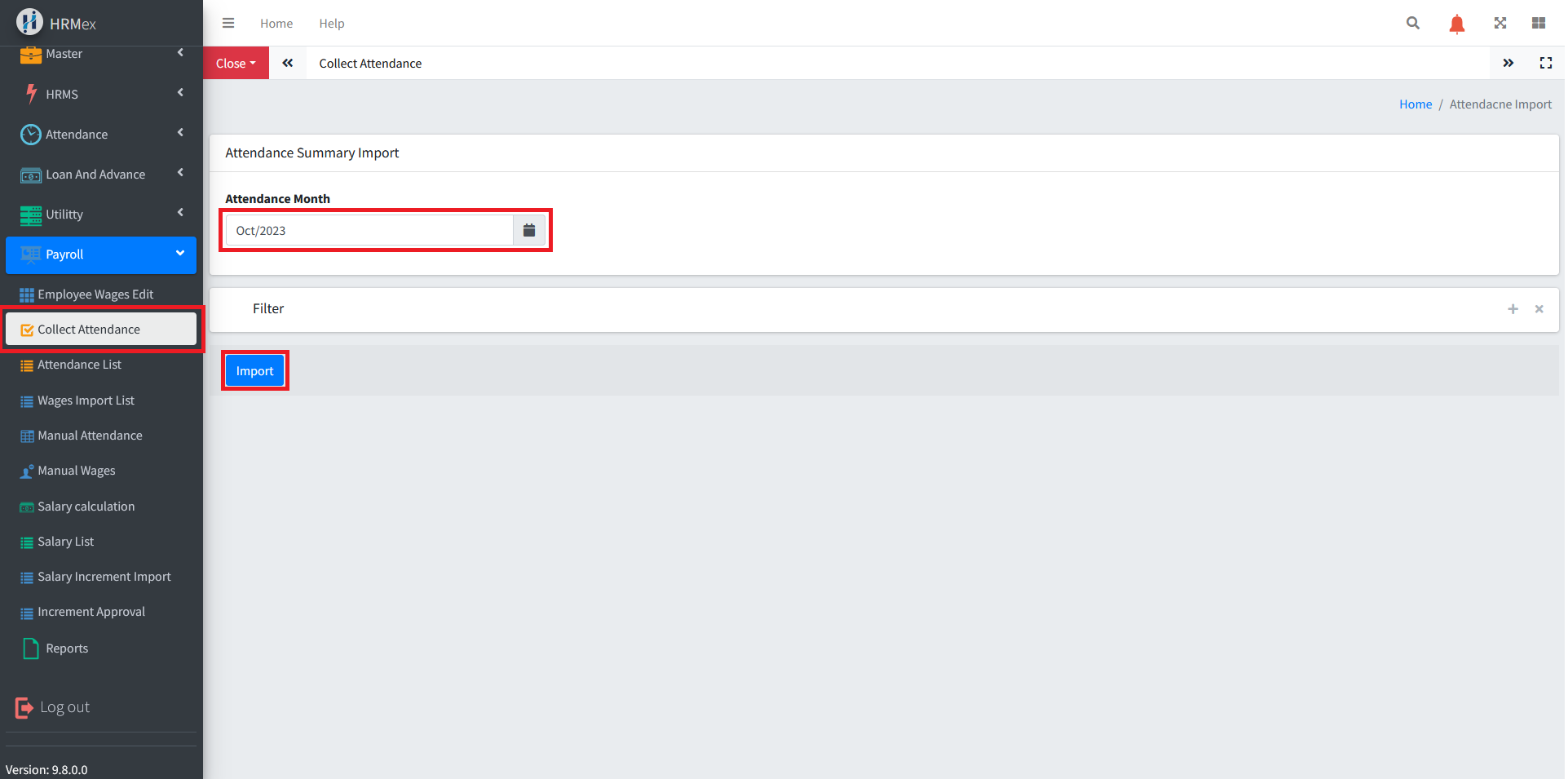
The "Collect Attendance" feature in the HRMex Time and Attendance software, accessible from the Payroll menu, is a powerful tool for efficiently calculating and managing employee attendance. This feature allows users to calculate attendance for a specific month and apply filters to refine the process.
Accessing Collect Attendance
Log in: Start by logging into the HRMex Time and Attendance software using your credentials.
Navigate to Payroll Menu: In the main menu, click on the "Payroll Menu" option.
Access Collect Attendance: Within the Payroll Menu, find and select the "Collect Attendance" option. This opens the Collect Attendance interface.
Calculating Attendance
The Collect Attendance interface provides the tools necessary to calculate attendance for the selected month. Here's how you can utilize this feature:
Select the Month: Begin by choosing the month for which you want to calculate attendance. This ensures that the software focuses on the specified time frame.
Apply Filters: To refine the attendance calculation, apply filters based on specific criteria. You can filter by:
- Employee Name
- Company
- Department
- Designation
- All Employees (if no specific filters are needed)
Click "Import": Once you've selected the desired month and applied the filters, click the "Import" button to initiate the attendance calculation.
Benefits of Collecting Attendance
- Efficiency: Quickly calculate attendance for a specific month without manual entry.
- Customization: Apply filters to focus on specific groups of employees.
- Accuracy: Eliminate errors and ensure precise attendance calculations.
- Data Integrity: Maintain an accurate record of employee attendance, which is crucial for payroll and HR processes.
The "Collect Attendance" feature in HRMex Time and Attendance software streamlines the attendance calculation process, making it easy to generate accurate and reliable attendance records for your employees.