
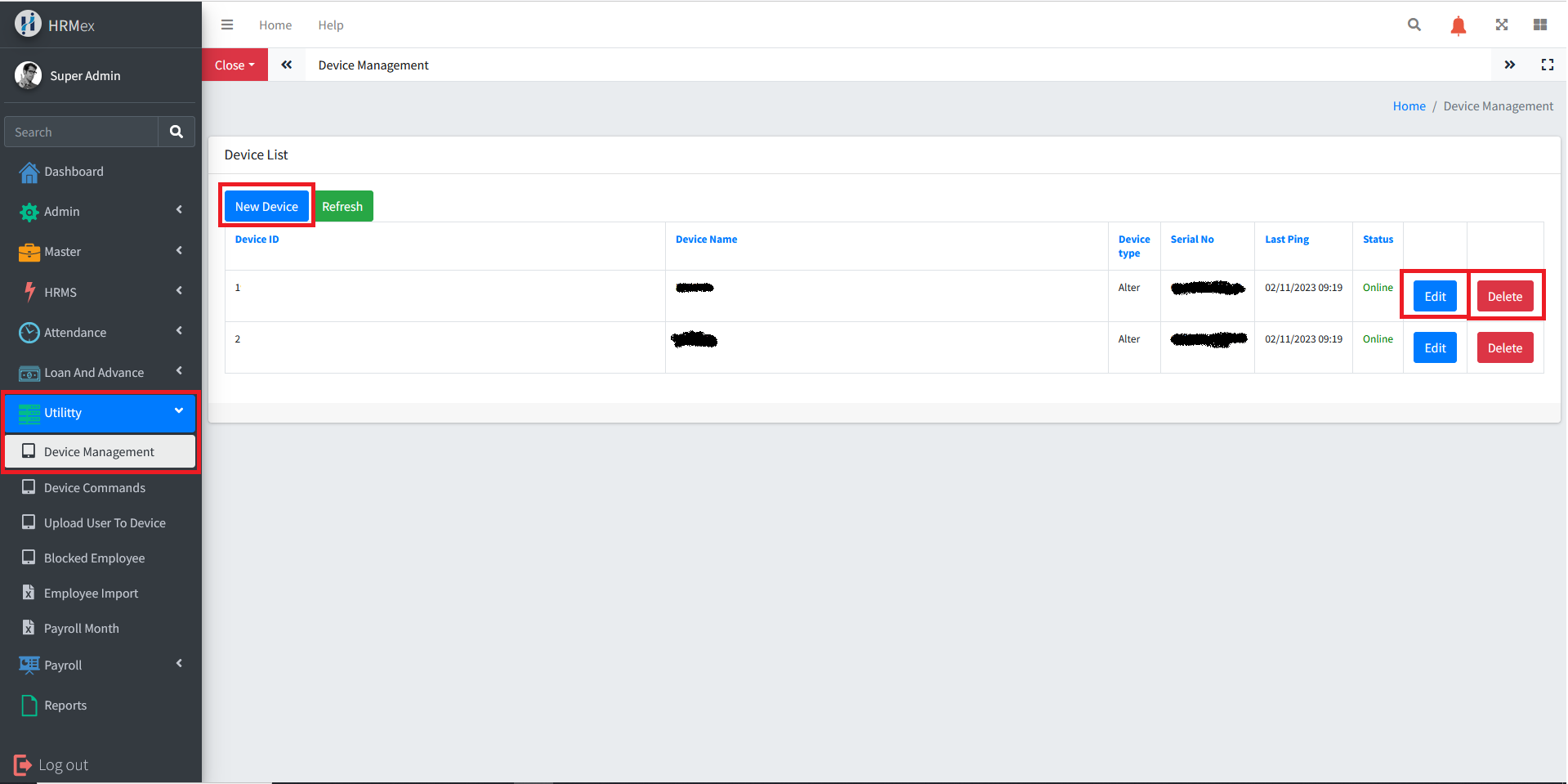
The "Device Management" feature in HRMex Time and Attendance software, accessible from the "Utility" menu, is a powerful tool for managing registered devices. This feature allows users to view all registered devices, add new devices, edit existing devices, and delete device records. Device details, including device name, attendance direction, serial number, IP address, and status, are displayed for easy management.
Accessing Device Management
- Log in: Begin by logging into the HRMex Time and Attendance software using your credentials.
- Navigate to Utility Menu: In the main menu, click on the "Utility" menu option.
- Access Device Management: Within the Utility menu, locate and select the "Device Management" option. This opens the Device Management interface.
Managing Registered Devices
The Device Management interface provides the tools necessary for managing registered devices. Here's how to use this feature:
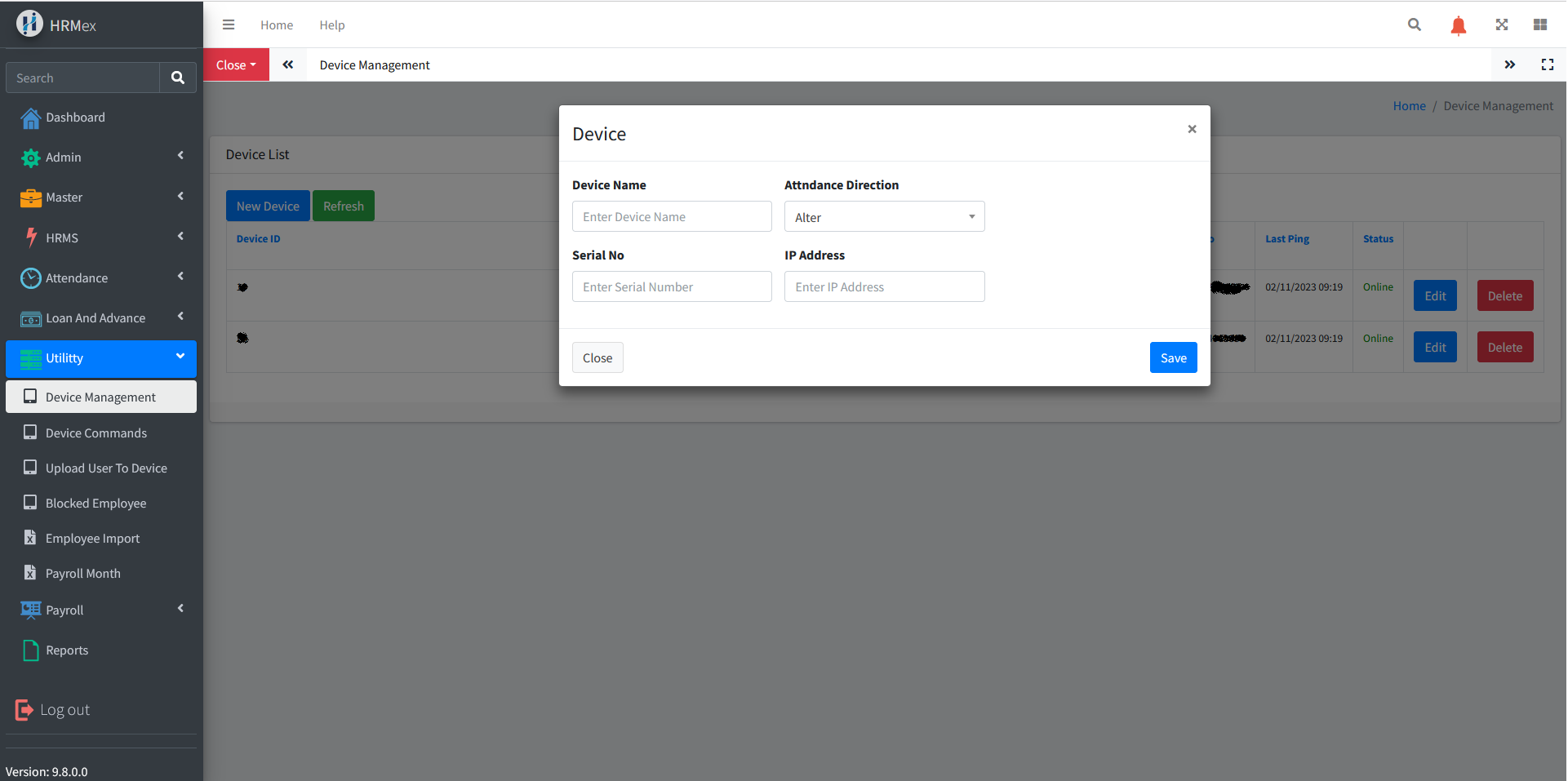
View Registered Devices: Upon accessing the Device Management, you can view a list of all registered devices. This list includes device name, attendance direction (in punch, out punch, or both), serial number, IP address, and status.
Add New Device: To add a new device, click the "Add" button. You'll be prompted to enter device details, including device name, attendance direction, serial number, and IP address. Save the newly added device details.
Edit Existing Device: To edit an existing device, select the device record you wish to modify and use the "Edit" button. Make any necessary changes to the device details and ensure the updated information is accurate before saving.
Delete Device: If you need to remove a device from the records, use the "Delete" button. Select the device record to be deleted and confirm the deletion.
Benefits of Device Management
- Efficiency: Easily manage and track registered devices within one module.
- Customization: Add, edit, or delete device records as needed.
- Data Accuracy: Ensure that device details are accurate and up to date for attendance and HR purposes.
The "Device Management" feature in HRMex Time and Attendance software simplifies the process of managing registered devices, ensuring data accuracy and efficiency in device tracking and administration.