
The "Shift Master" feature in HRMex Time and Attendance software, accessible from the "Master" menu, is a robust tool for managing shifts assigned to employees. This feature not only allows users to add new shifts, edit existing shift information, and delete shifts but also provides an extensive set of parameters for fine-tuning shift details. This includes features like break time, punch timing constraints, grace time, and more.
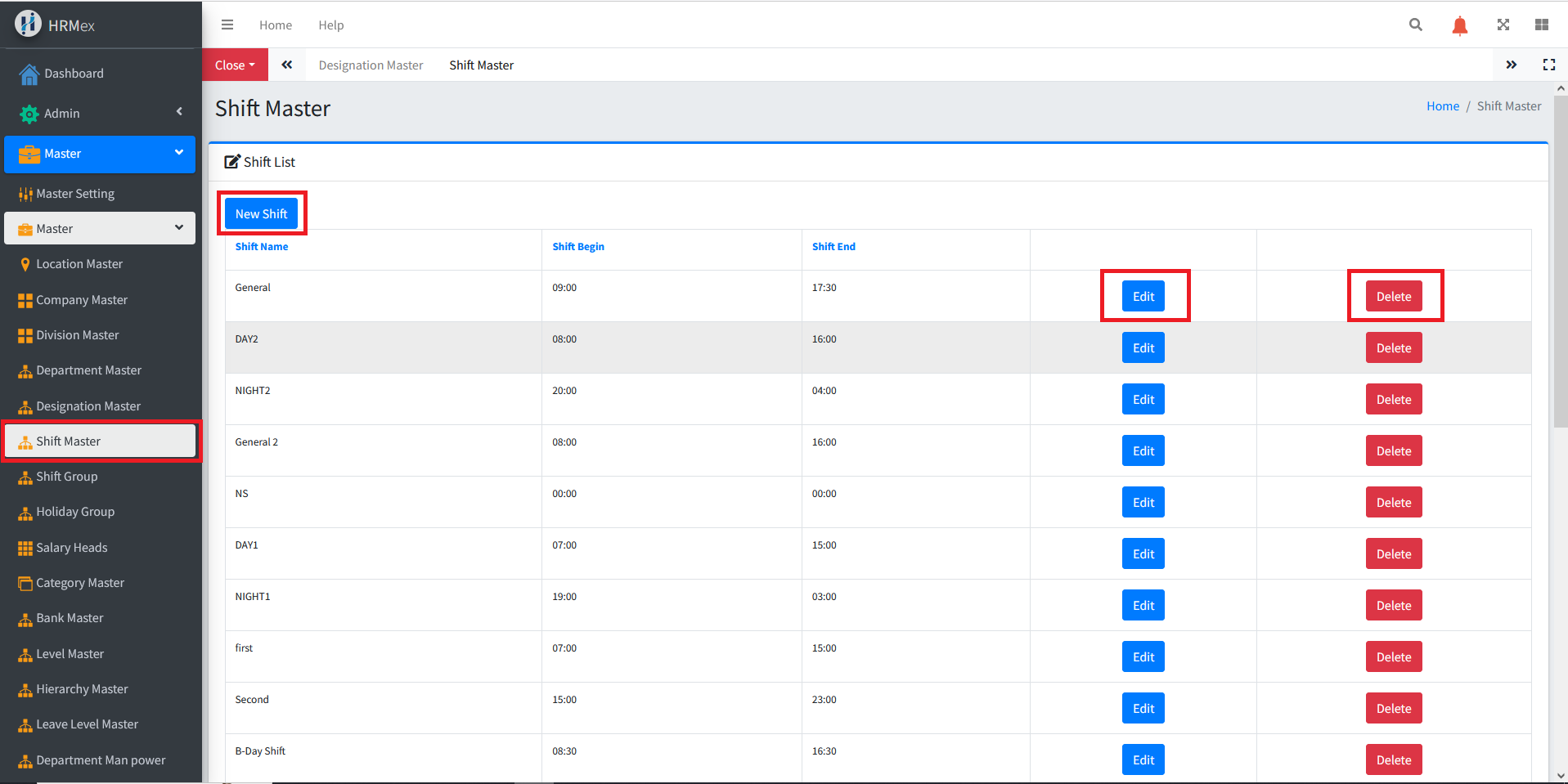
Accessing Shift Master
- Log in: Begin by logging into the HRMex Time and Attendance software using your credentials.
- Navigate to Master Menu: In the main menu, click on the "Master" menu option.
- Access Shift Master: Within the Master menu, locate and select the "Shift Master" option. This opens the enhanced Shift Master interface.
Managing Shifts
The Shift Master interface provides comprehensive tools for managing shifts. Here's how to use this feature:
Add New Shift: To add a new shift, click the "Add" button. You will be prompted to enter the shift name and specify various parameters:
- Shift Time
- Enable Break (Yes/No)
- Break Time
- Break Allowed to Employee
- Punch Begin Before (minutes)
- Punch End After (minutes)
- Grace Time (minutes)
- Halfday Minutes
- Absent Minutes
Edit Existing Shift: To edit an existing shift, select the shift you wish to modify and use the "Edit" button. Make any necessary changes to the shift's parameters and ensure the updated information is accurate before saving.
Delete Shift: If you need to remove a shift from the records, use the "Delete" button. Select the shift record to be deleted and confirm the deletion.
Advanced Parameters
The advanced parameters provided in the Shift Master interface offer fine-tuned control over shift details, allowing for precise management of employee work hours. Here's a brief explanation of the advanced parameters:
- Punch Begin Before: The time in minutes before the shift starts when an employee can punch in.
- Punch End After: The time in minutes after the shift ends when an employee cannot punch in.
- Grace Time: The accepted late minutes before an employee is marked as late.
- Halfday Minutes: The threshold for the number of minutes worked that qualifies as a half-day.
- Absent Minutes: The threshold for the number of minutes worked that qualifies as an absence.
Benefits of Enhanced Shift Master
- Customization: Fine-tune shift parameters for precise management of employee work hours.
- Efficiency: Simplify the process of shift assignment and management with detailed control.
- Attendance Accuracy: Ensure accurate attendance tracking with advanced shift parameters.
The enhanced "Shift Master" feature in HRMex Time and Attendance software offers a comprehensive solution for managing shifts with detailed control over various parameters, providing accurate and efficient workforce management.