
The HRMex Time and Attendance software features an Audit Logs module that provides a comprehensive record of all user activities and system changes. These logs are essential for monitoring system operations, tracking changes, and ensuring the security and integrity of your data.
Continuous Logging
The HRMex Time and Attendance software initiates logging as soon as you enter the system. This means that all user actions and system events are continuously recorded, creating a complete audit trail.
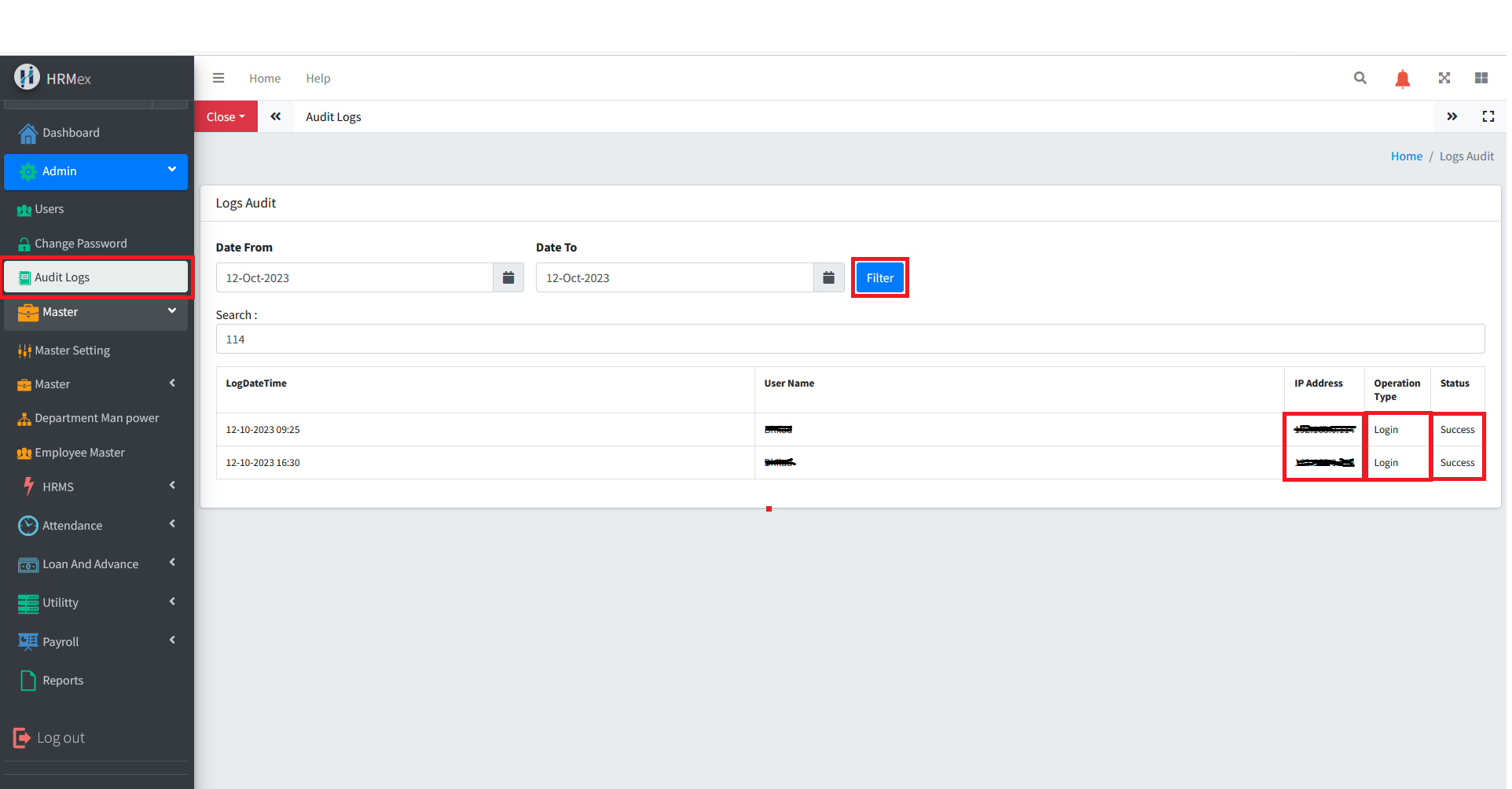
Accessing Audit Logs
Log in: Begin by logging into the HRMex Time and Attendance software using your administrator credentials.
Navigate to Admin Menu: Within the main menu, click on the "Admin Menu" option.
Access Audit Logs: In the Admin Menu, locate and select the "Audit Logs" or "Logs" option. This will open the Audit Logs interface.
Viewing and Filtering Audit Logs
The Audit Logs interface allows you to review and filter logs based on specific criteria. Here's how to utilize the Audit Logs feature:
Filter by Date: To view logs for a specific date or date range, select the desired date using the date picker and click the "Filter" button.
Detailed Information: Click on a log entry to access detailed information. Each log entry typically includes the following details:
- Log DateTime: The date and time when the operation occurred.
- Username: The name of the user who performed the operation.
- IPAddress: The IP address from which the user accessed the system.
- Operation: A description of the action or change made by the user.
- Status: Indicates whether the operation was successful or not.
Benefits of Audit Logs
- Security: Monitor for unauthorized or suspicious activities.
- Accountability: Track user actions to ensure accountability.
- Compliance: Meet regulatory requirements by maintaining a detailed audit trail.
- Troubleshooting: Quickly identify and resolve issues or errors.
- Historical Records: Keep historical records of all system activities.
Audit logs in HRMex Time and Attendance software play a crucial role in maintaining security, compliance, and accountability. By regularly reviewing these logs, you can ensure the integrity of your data and the security of your system.