
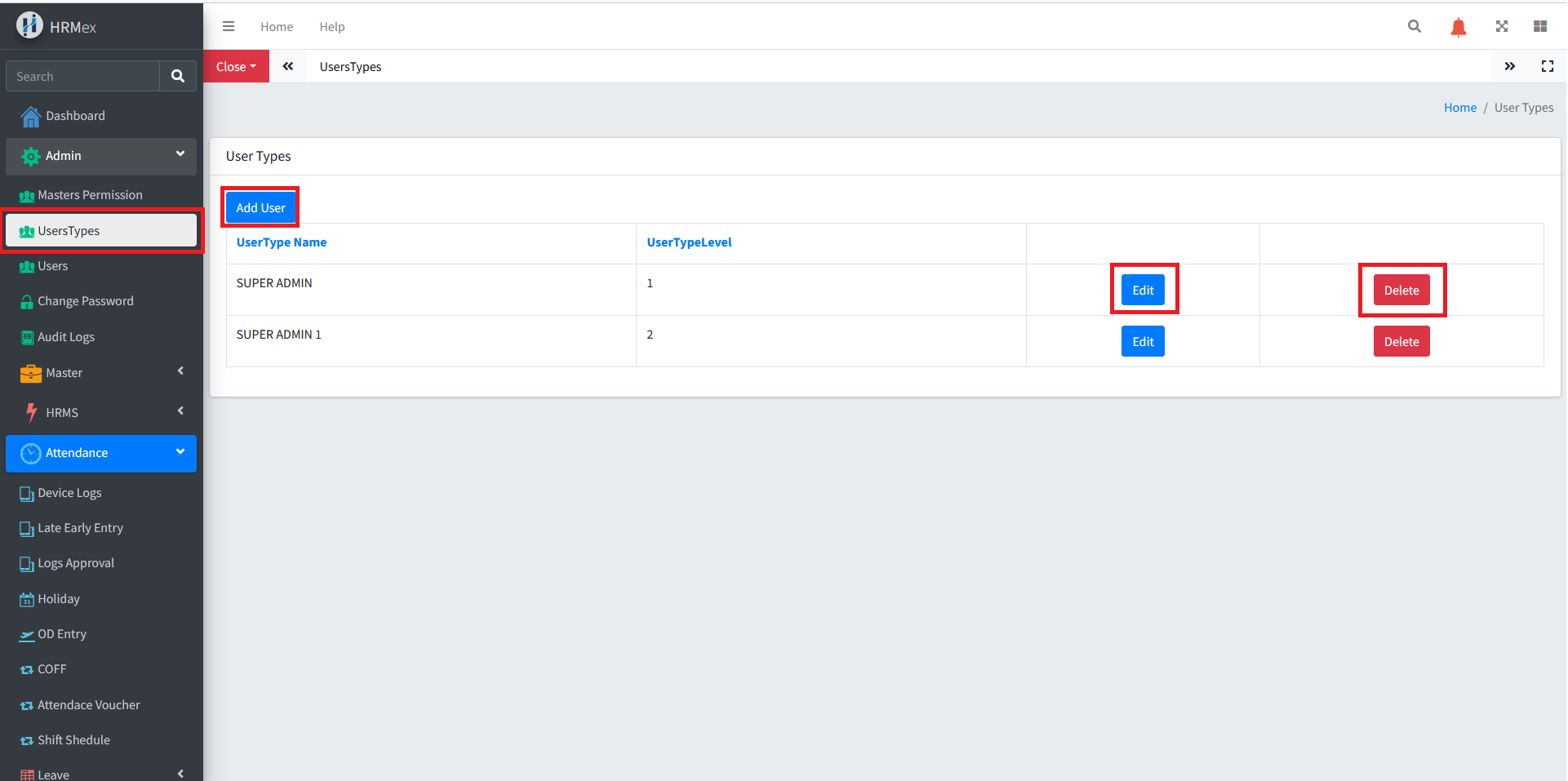
Accessing User Types from the Admin Menu
The User Types feature allows administrators to create and manage user roles, providing tailored access and permissions to different groups of users.
Key Features
- Create a Master for Multiple Users: Streamline the process by creating a single master for multiple users of the same type.
- Permission Management: Customize permissions for each user type, ensuring users only have access to the data they need.
- Edit and Delete: Modify or remove user types as needed to maintain accurate and secure access controls.
Steps to Use User Types
Accessing User Types
- Navigate to the Admin Menu.
- Select User Types.
Creating a User Type
- Click on the Add button.
- Fill in the form with the following details:
- User Type Name: Name of the user type.
- User Type Level: Set the user type level (lowest number indicates the highest level).
- Save the master.
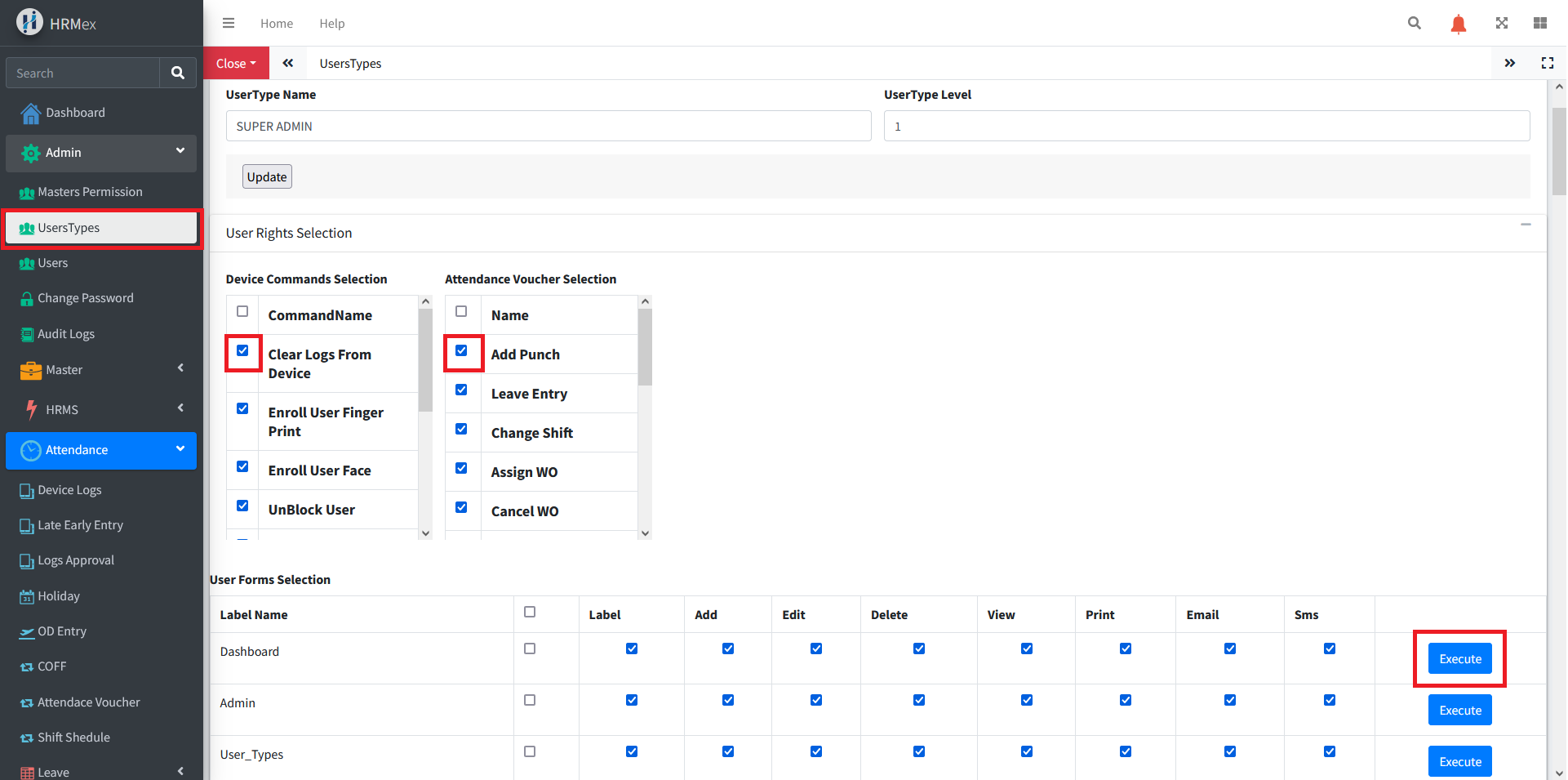
Managing Permissions
- Once the user type is created, all available permissions in the software will be displayed.
- Check the permissions that are allowed for the specific user type.
- Use the Execute button to confirm the selected permissions.
- Assign the user type to the appropriate users.
Editing Permissions
- Select the user type you wish to edit.
- Click on the Edit button.
- Modify the permissions as needed.
- Save the changes.
Deleting a User Type
- Select the user type you wish to delete.
- Click on the Delete button.
- Confirm the deletion.
Benefits
- Efficient User Management: Simplifies the process of managing permissions for different groups of users.
- Flexibility: Easily adjust permissions or remove user types as necessary.
- Security and Reliability: Ensures users only have access to the data they need, enhancing data security and reliability.
By following these steps, administrators can effectively manage user roles and permissions, ensuring that each user type has the appropriate access to necessary data.