
The "Master Settings" menu in HRMex Time and Attendance software, accessible from the "Master" menu, plays a crucial role in configuring essential parameters for various HR processes. This guide outlines the key features and steps involved in setting up master settings.
Accessing Master Settings
- Log in: Start by logging into the HRMex Time and Attendance software using your credentials.
- Navigate to Master Menu: Access the "Master" menu from the main dashboard.
- Enter Master Settings: Within the Master menu, locate and select the "Master Settings" option. This opens the Master Settings interface.
Configuring Master Settings
1. Master Settings Menu:
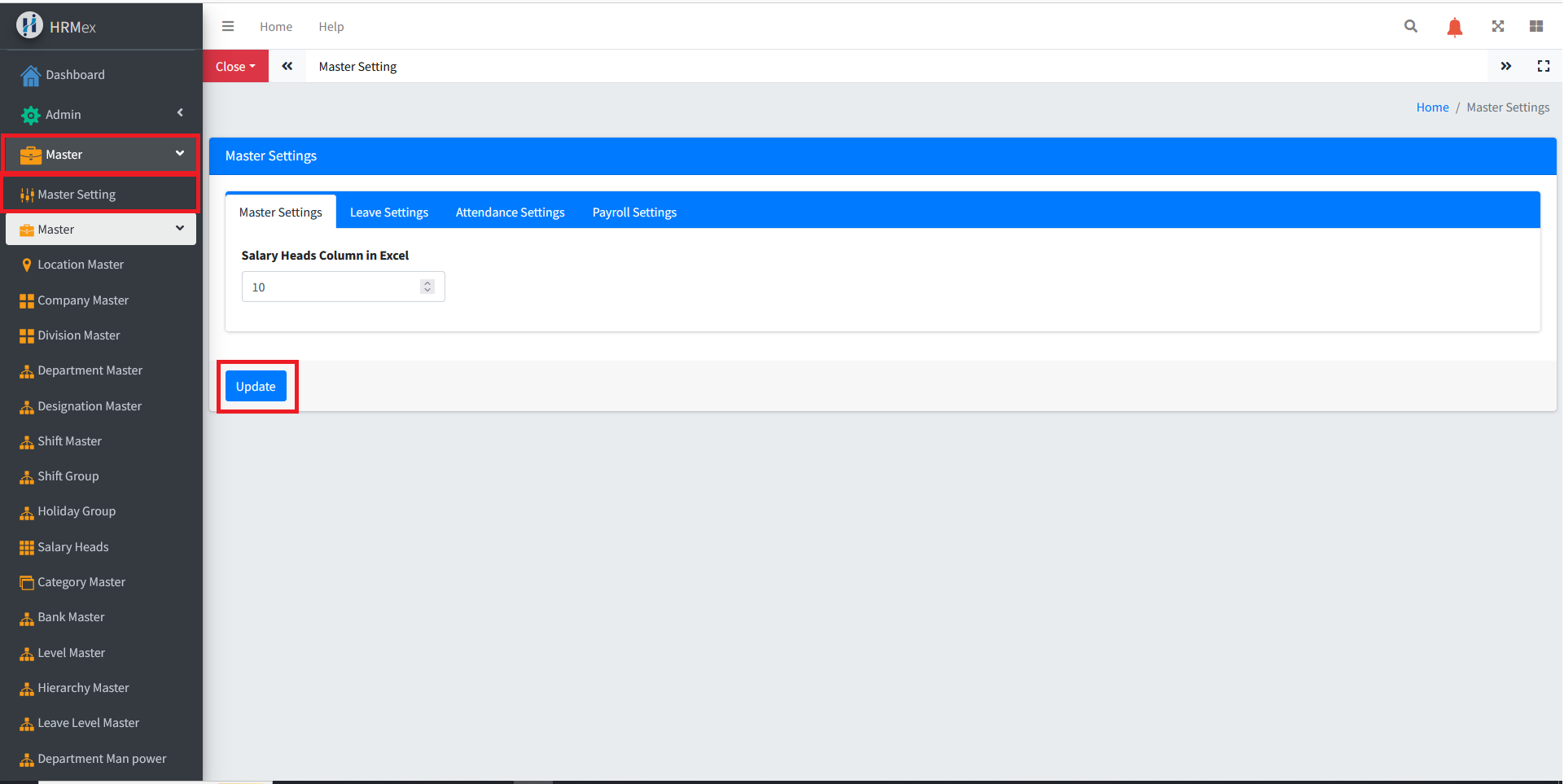
- Start Head for Salary Import: Define the starting point for salary heads in the Excel sheet used for importing.
2. Leave Settings Menu:
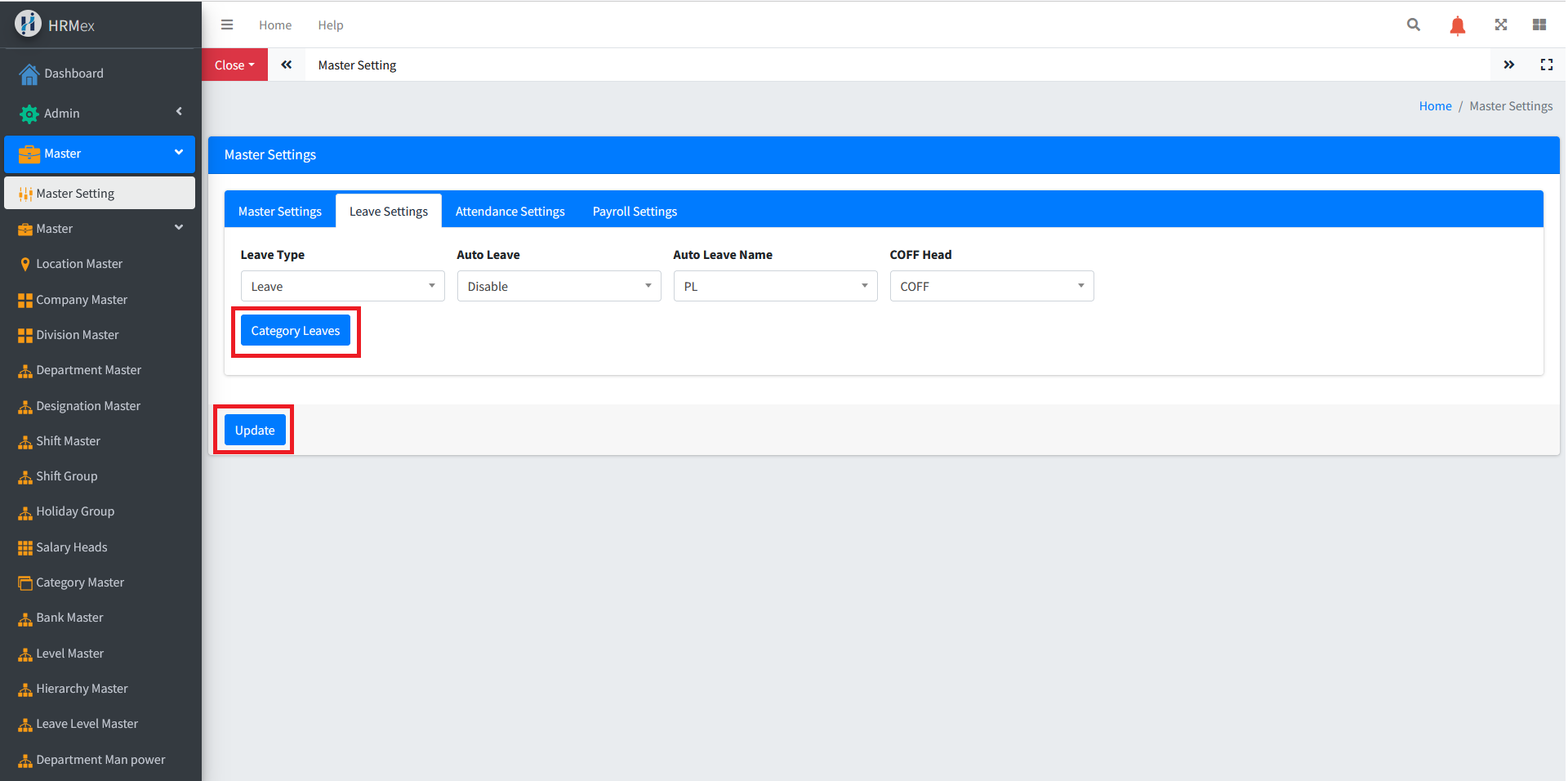
- Leave Heads: Set the heads for different types of leaves.
- Leave Assignment: Specify if leaves should be assigned automatically or manually.
- Auto Leave Name: If automated, define the name of the leave to be set.
- COFF Head: Set the head for Compensatory-Off.
3. Attendance Settings Menu:
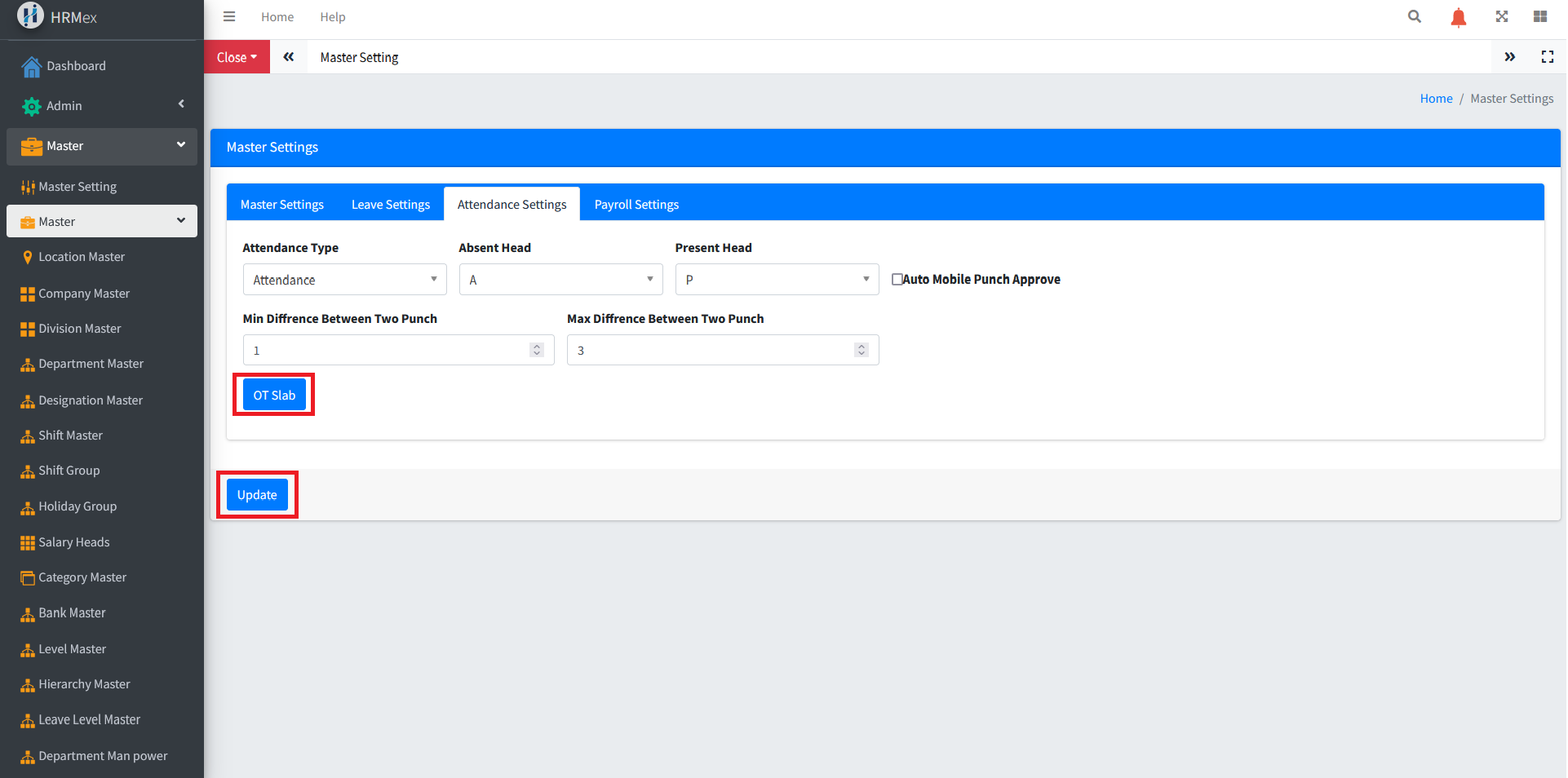
- Attendance Heads: Configure the heads for attendance, absent, and present.
- Minimum and Maximum Punch Difference: Set the acceptable range between two punches.
- Auto Approval for Mobile Attendance: Decide if mobile attendance should be approved automatically.
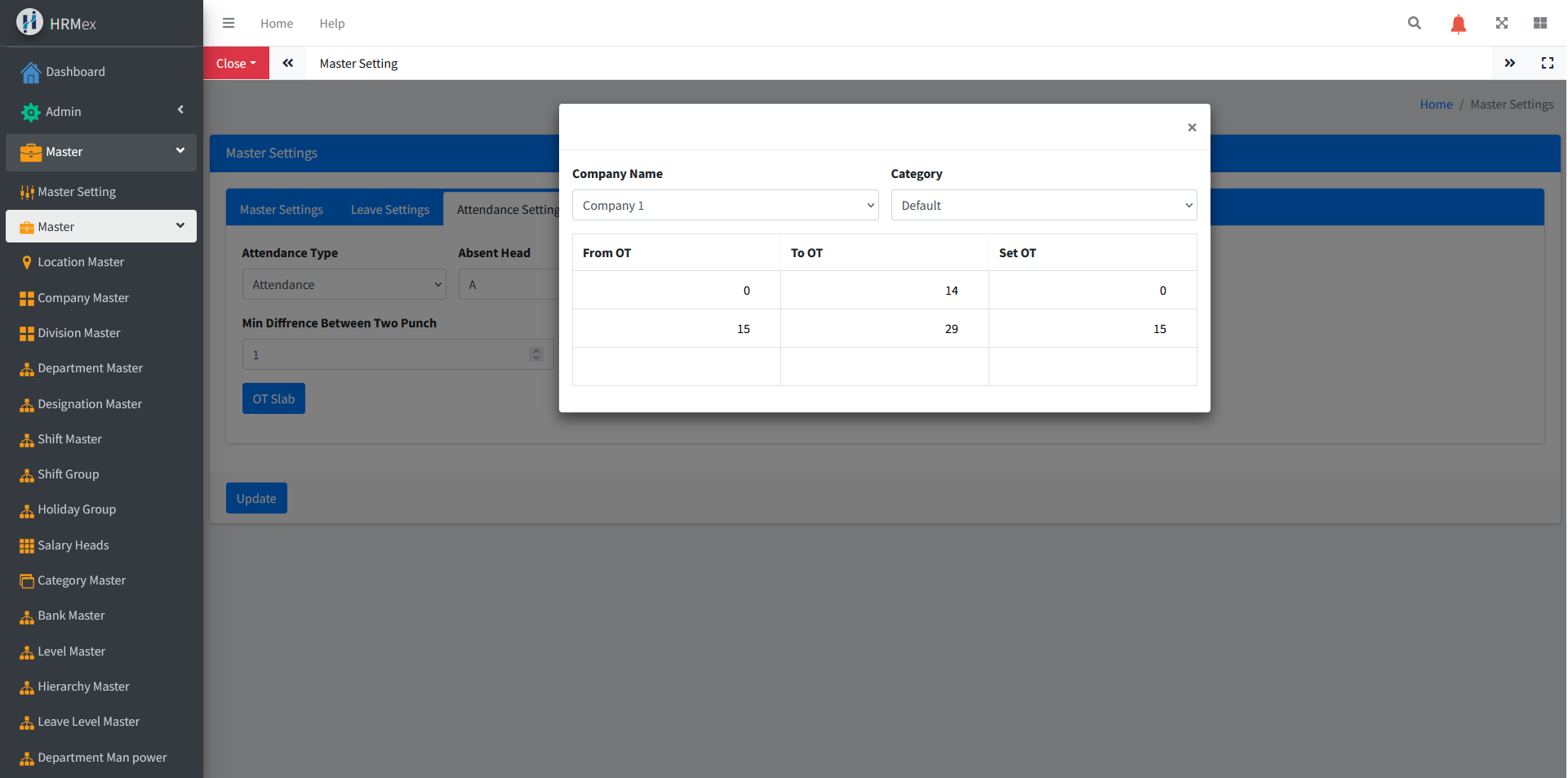
- OT Slab: Define overtime slabs to determine the compensation for overtime.
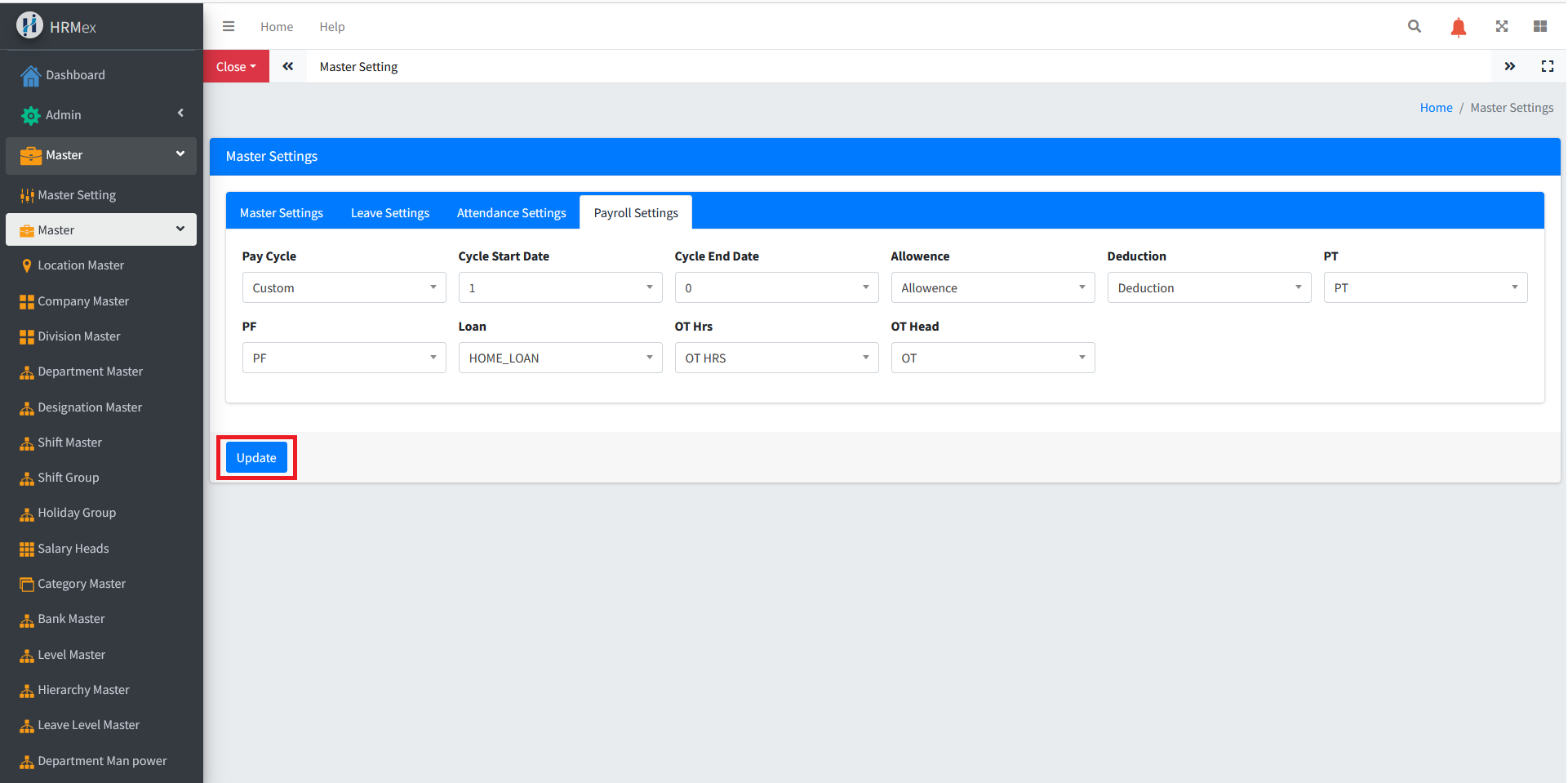
4. Payroll Settings Menu:
- Pay Cycle: Set the pay cycle for salary processing.
- Other Salary Heads: Configure additional salary heads required for accurate payroll calculations.
Benefits of Master Settings
- Customization: Tailor the system to match specific organizational needs.
- Automation: Streamline processes such as leave assignment and mobile attendance approval.
- Accuracy: Ensure precise salary calculations through well-defined settings.
General Considerations
- Regular Review: Periodically review and update master settings to align with organizational changes.
- User Training: Train users responsible for configuring master settings to ensure accurate setup.
The "Master Settings" menu serves as a cornerstone for HR processes, allowing organizations to customize the system to their unique requirements and streamline essential functions.