
The "Canteen Log Punch" feature in HRMex Time and Attendance software enables efficient tracking of employees' visits to the canteen for meals. It allows administrators to maintain accurate records of canteen attendance, including manual log entries when necessary.
Accessing Canteen Log Punch
- Log in: Access the HRMex Time and Attendance software using your credentials.
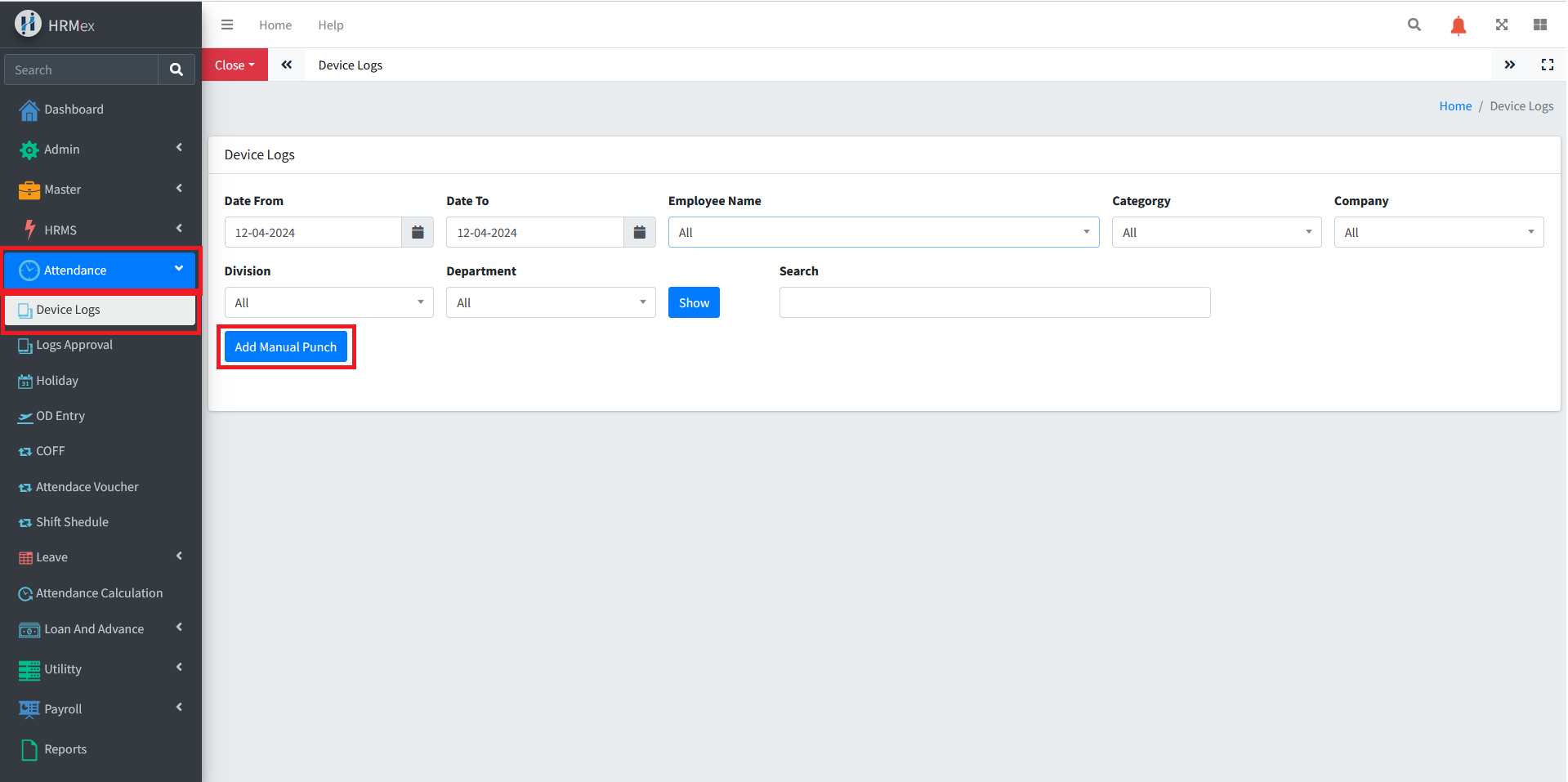
- Navigate to Attendance Menu: From the main dashboard, select the "Attendance" menu.
- Access Device Logs: Within the Attendance menu, locate and select the option for “Device Logs.”
Adding Manual Punch for Canteen Log
Initiate Manual Punch:
- Within the Device Logs section, find and click the option to "Add a Manual Punch."
Enter Details:
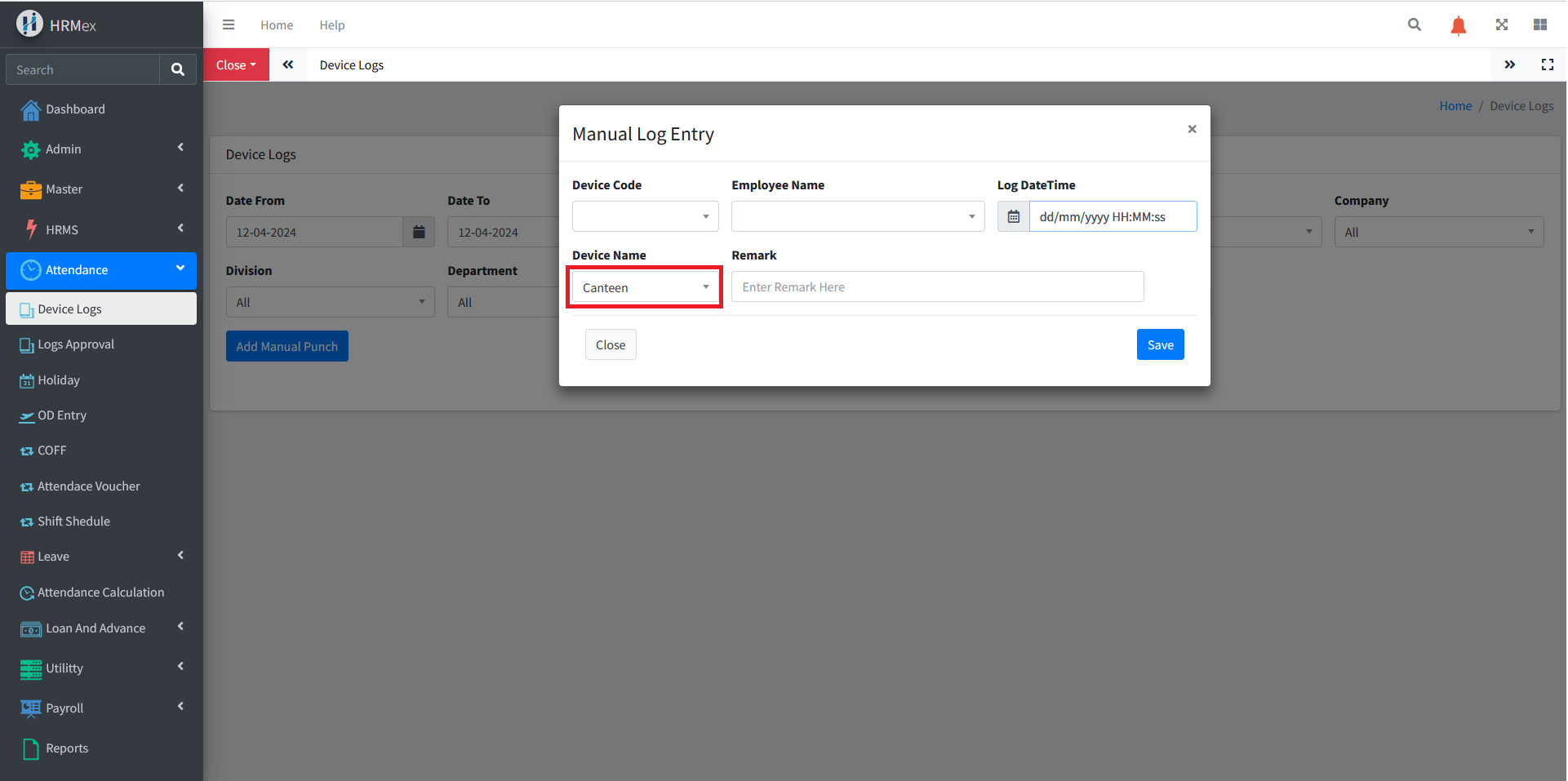
- Fill in the required details for the manual punch:
- Empcode: Employee code or ID.
- Employee Name: Name of the employee.
- Device: Device from which the log is being entered.
- Log Date: Date and time of the canteen visit.
- Remarks: Any additional remarks or notes related to the log entry.
Save Entry:
- Once all details are entered accurately, click the "Save" button to complete the manual log entry.
Benefits of Canteen Log Punch Feature
- Accurate Attendance Records: Maintain precise records of employees' canteen visits.
- Compliance: Ensure adherence to company policies regarding attendance tracking.
- Ease of Use: Streamline the process of entering manual log entries for missed punches.
Best Practices
- Regular Review: Periodically review canteen log entries to ensure accuracy and completeness.
- Training: Provide training to administrators on how to enter manual log punches effectively.
The "Canteen Log Punch" feature in HRMex Time and Attendance software facilitates the efficient management of canteen attendance, ensuring accurate records and compliance with organizational policies.