
HRMex Time and Attendance software allows users to change their passwords for enhanced security. Changing your password is a simple and essential step to safeguard your account and sensitive data.
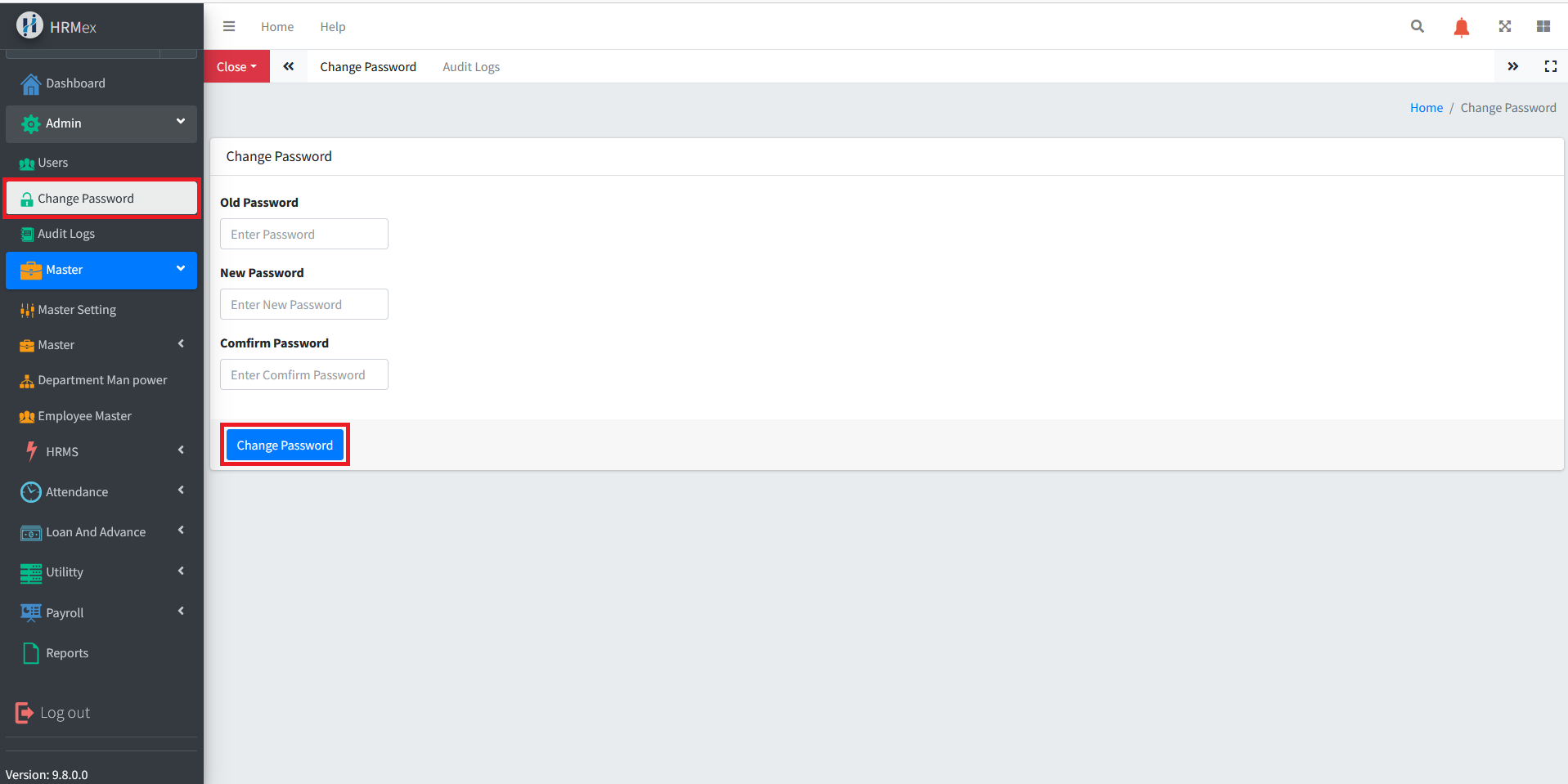
Accessing Change Password
- Log in: Start by logging into the HRMex Time and Attendance software using your existing username and password.
- Navigate to Admin Menu: In the main menu, click on the "Admin Menu" option.
Changing Your Password
Access Change Password: Within the Admin Menu, locate and select the "Change Password" option.
Old Password: To ensure security, you need to input your current or old password in the "Old Password" field.
New Password: In the "New Password" field, enter your new desired password. Ensure it meets the software's password requirements (e.g., length, complexity).
Confirm New Password: In the "Confirm New Password" field, re-enter the new password exactly as you entered it in the previous step.
Save Changes: Click the "Save" or "Update Password" button to confirm and save your new password.
Tips for Choosing a Strong Password
- Use a combination of upper and lower case letters.
- Include at least one number and special character.
- Avoid using easily guessable information, such as your name or birthdate.
- Make your password reasonably long for added security.
Security Verification
The "Old Password" field is a security measure to verify that the user making the password change is the legitimate account holder. This step ensures that unauthorized individuals cannot change your password without your knowledge.
Regular Password Updates
Changing your password regularly is a best practice for enhancing account security. It helps protect your account from unauthorized access and maintains the confidentiality of your data.
Additional Notes
- Make sure to remember your new password or store it securely.
- Do not share your password with anyone.
- If you suspect unauthorized access to your account, change your password immediately and contact your system administrator or support team.
This knowledge base explains how to change your password in the HRMex Time and Attendance software, emphasizing the importance of regular password updates for better security.