
The "Department Master" feature in HRMex Time and Attendance software, accessible from the "Master" menu, is a valuable tool for managing departments within a company. This feature allows users to add new departments, edit existing department information, and delete departments as needed. Departments can be assigned to employees, making it easier to categorize and manage your workforce.
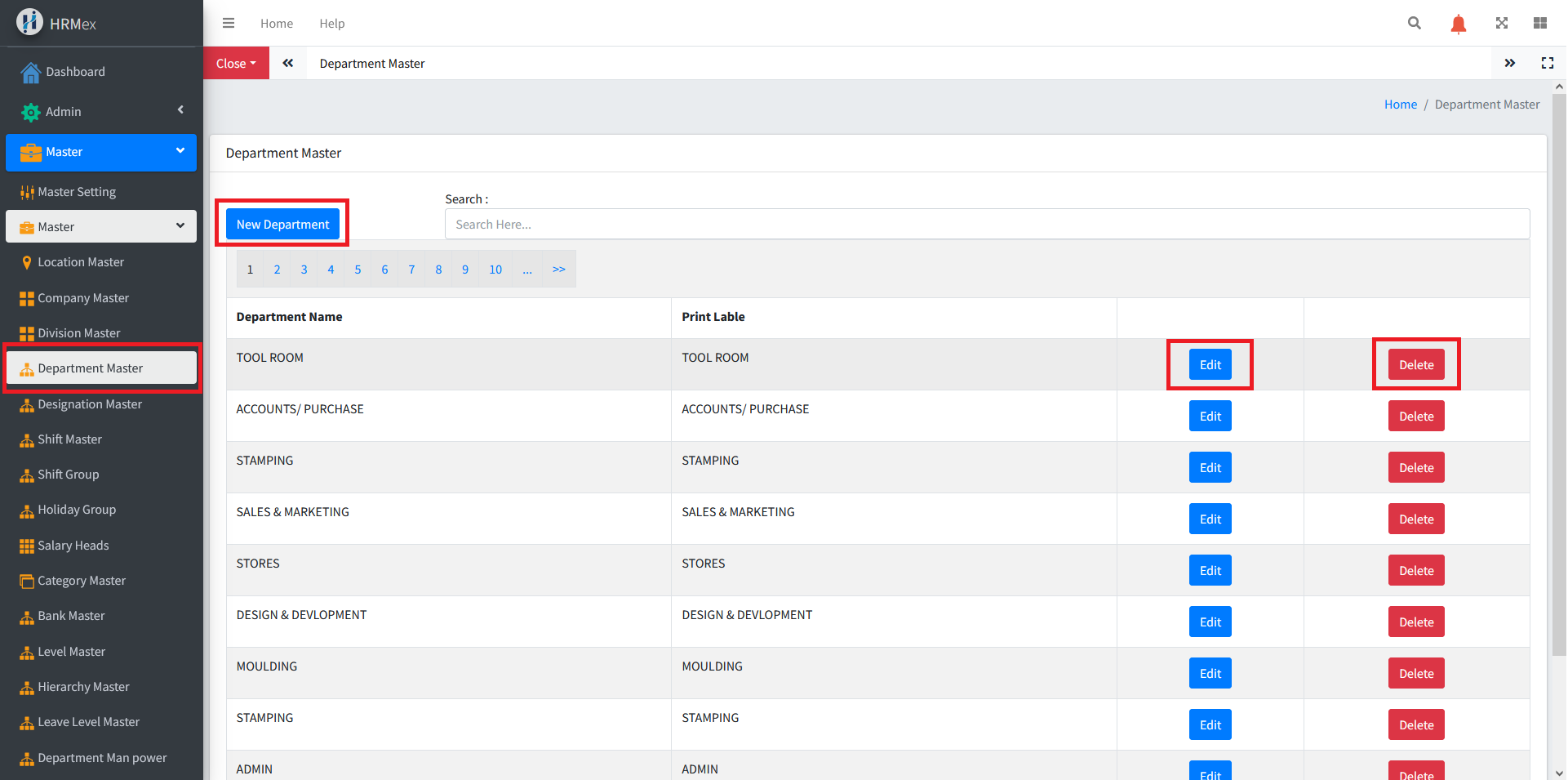
Accessing Department Master
- Log in: Begin by logging into the HRMex Time and Attendance software using your credentials.
- Navigate to Master Menu: In the main menu, click on the "Master" menu option.
- Access Department Master: Within the Master menu, locate and select the "Department Master" option. This opens the Department Master interface.
Managing Departments
The Department Master interface provides the tools necessary for managing departments. Here's how to use this feature:
Add New Department: To add a new department, click the "Add" button. You will be prompted to enter the department name.
Edit Existing Department: To edit an existing department, select the department you wish to modify and use the "Edit" button. Make any necessary changes to the department's name and ensure the updated information is accurate before saving.
Delete Department: If you need to remove a department from the records, use the "Delete" button. Select the department record to be deleted and confirm the deletion.
Assign Department to Employees: Departments can be assigned to employees, allowing for better organization and categorization of employees within your organization. This makes it easier to manage and analyze employee data.
Benefits of Department Master
- Organization: Easily manage and categorize your workforce into departments.
- Customization: Add, edit, or delete department details to meet specific organizational needs.
- Employee Management: Assign departments to employees for better workforce organization.
The "Department Master" feature in HRMex Time and Attendance software simplifies the process of managing departments, ensuring that your employee data is organized and categorized effectively within the software.