
The "Category Master" feature in HRMex Time and Attendance software, accessible from the "Master" menu, is a vital tool for organizing employees based on different categories. This feature allows users to add, edit, and delete employee categories, providing customization for various employment criteria.
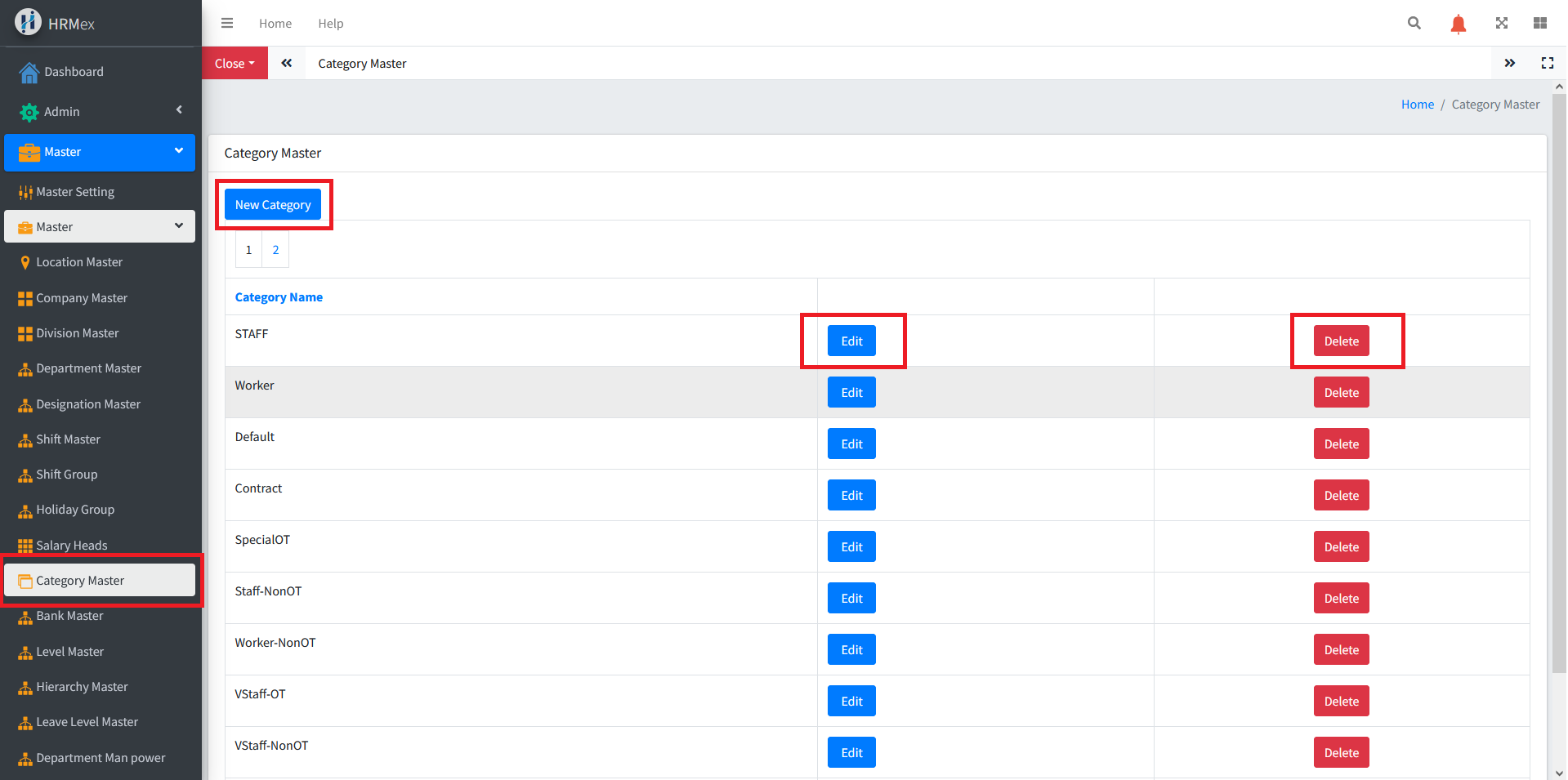
Accessing Category Master
- Log in: Begin by logging into the HRMex Time and Attendance software using your credentials.
- Navigate to Master Menu: In the main menu, click on the "Master" menu option.
- Access Category Master: Within the Master menu, locate and select the "Category Master" option. This opens the Category Master interface.
Managing Employee Categories
The Category Master interface provides the tools necessary for managing employee categories. Here's how to use this feature:
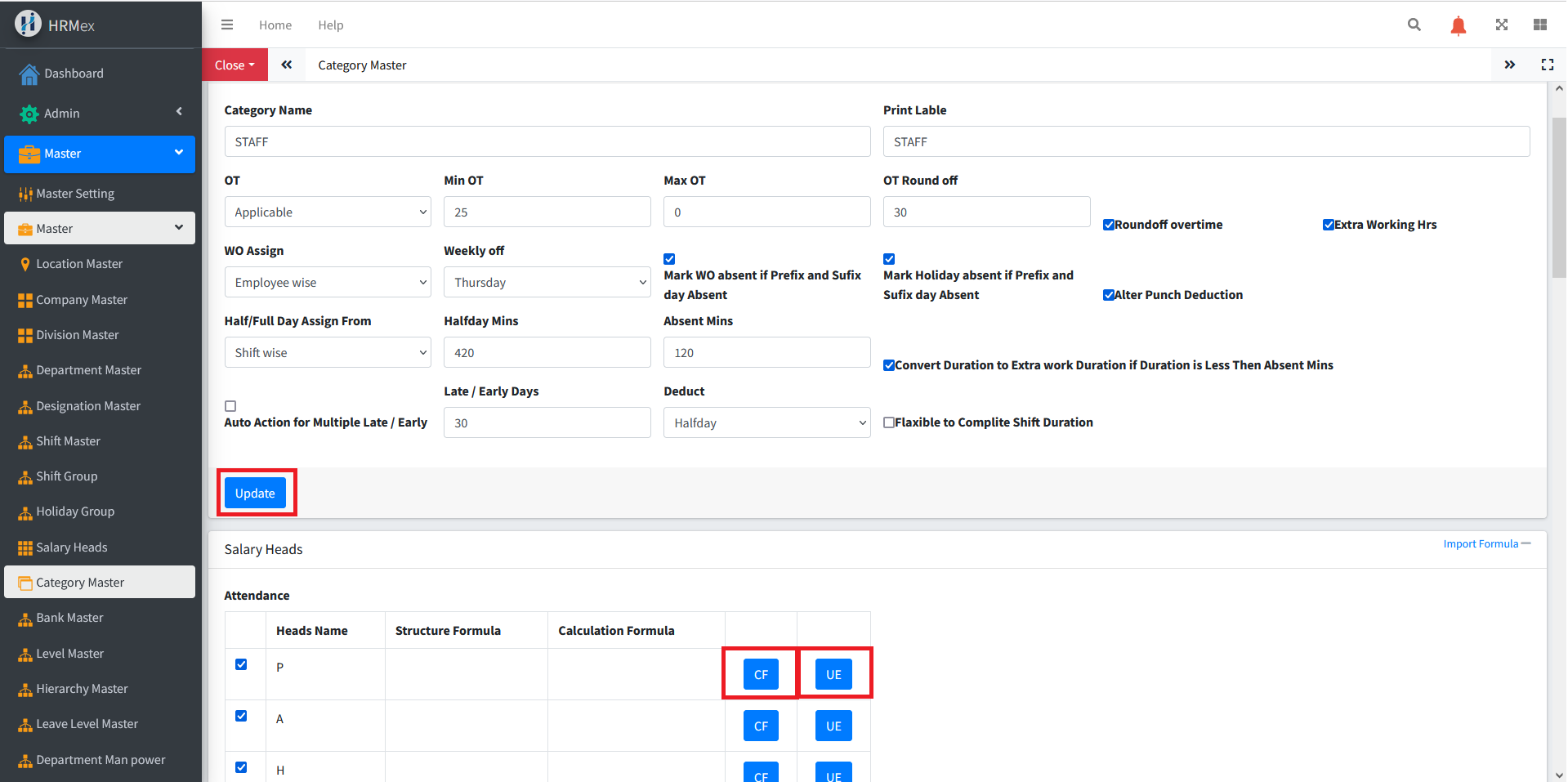
Add New Category: To create a new employee category, click the "Add" button. You will be prompted to enter the following details:
- Category Name
- Applicable for OT (Yes/No)
- Min and Max OT Time
- Weekly Off
- Other Basic Details
- Save the entered information.
Edit Existing Category: To modify an existing category, select the category you wish to edit and use the "Edit" button. Make any necessary changes to the category's details, and ensure the updated information is accurate before saving.
Delete Category: If you need to remove a category from the records, use the "Delete" button. Select the category record to be deleted and confirm the deletion when there are no employees assigned to that category.
Customizing Category Settings
When editing a category, the user can customize various settings:
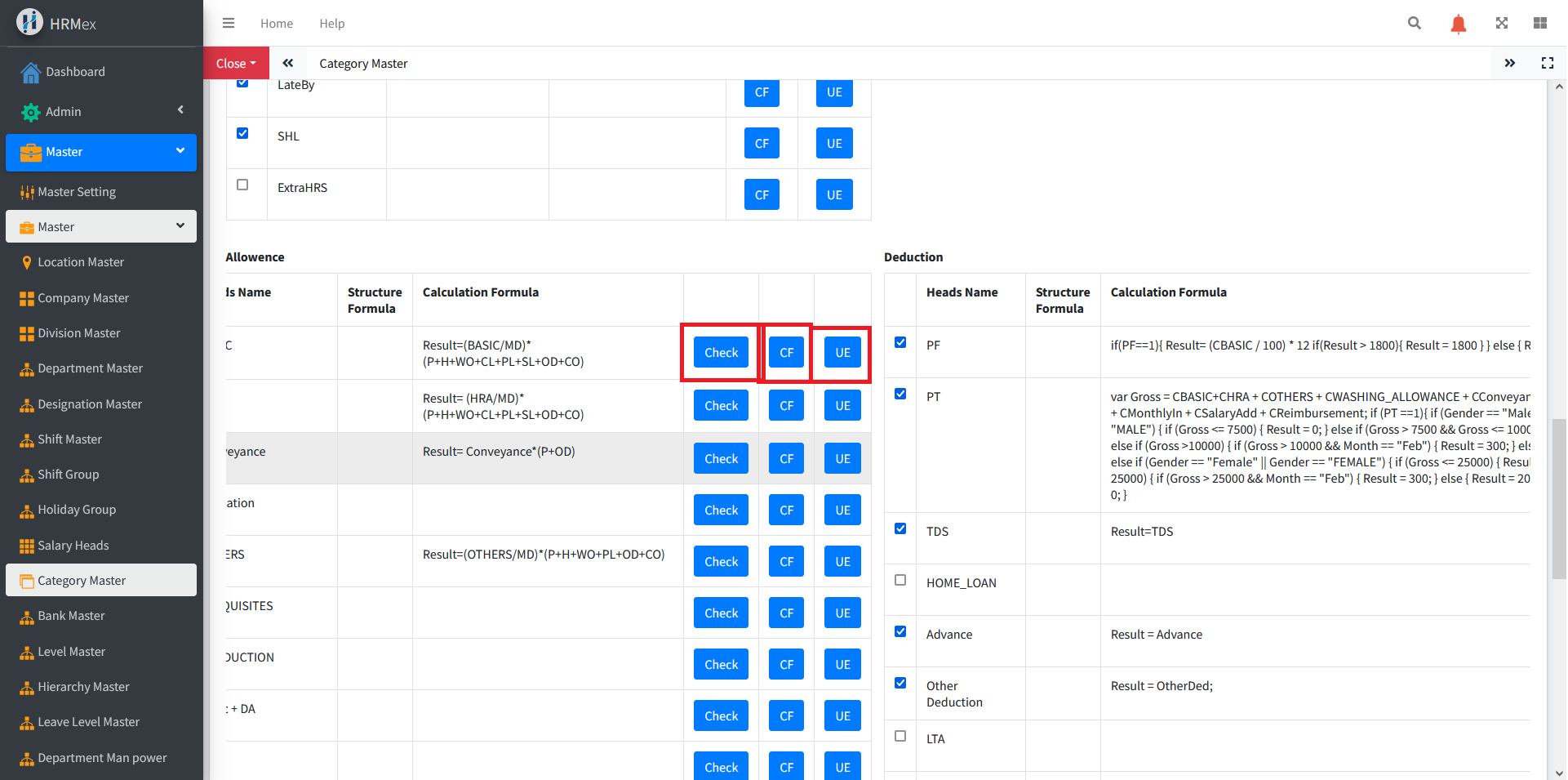
- Attendance Heads: Select the attendance heads to be calculated and shown for that category.
- Deduction Heads: Choose the deduction heads applicable to employees in that category.
- Salary Head Formulas: Add new salary heads or update existing ones for the category. Use the "UE" button to add a new salary head, "CF" to set the formula, and "Check" to verify the syntax.
Benefits of Category Master
- Employee Organization: Categorize employees based on different criteria for better management.
- Customization: Tailor category settings, including attendance heads, deduction heads, and salary head formulas.
- Dynamic Configuration: Add, edit, or delete categories as the organizational structure evolves.
The "Category Master" feature in HRMex Time and Attendance software provides a flexible and dynamic solution for managing employee categories, ensuring efficient organization and accurate payroll calculations.