
The "Upload User to Device" feature in HRMex Time and Attendance software, accessible from the "Utility" menu, is a valuable tool for importing user data into registered devices. This feature allows users to filter a list of employees based on category, company, division, department, and status. Users can then select the target device and employees to be uploaded, after which the software will perform the upload operation.
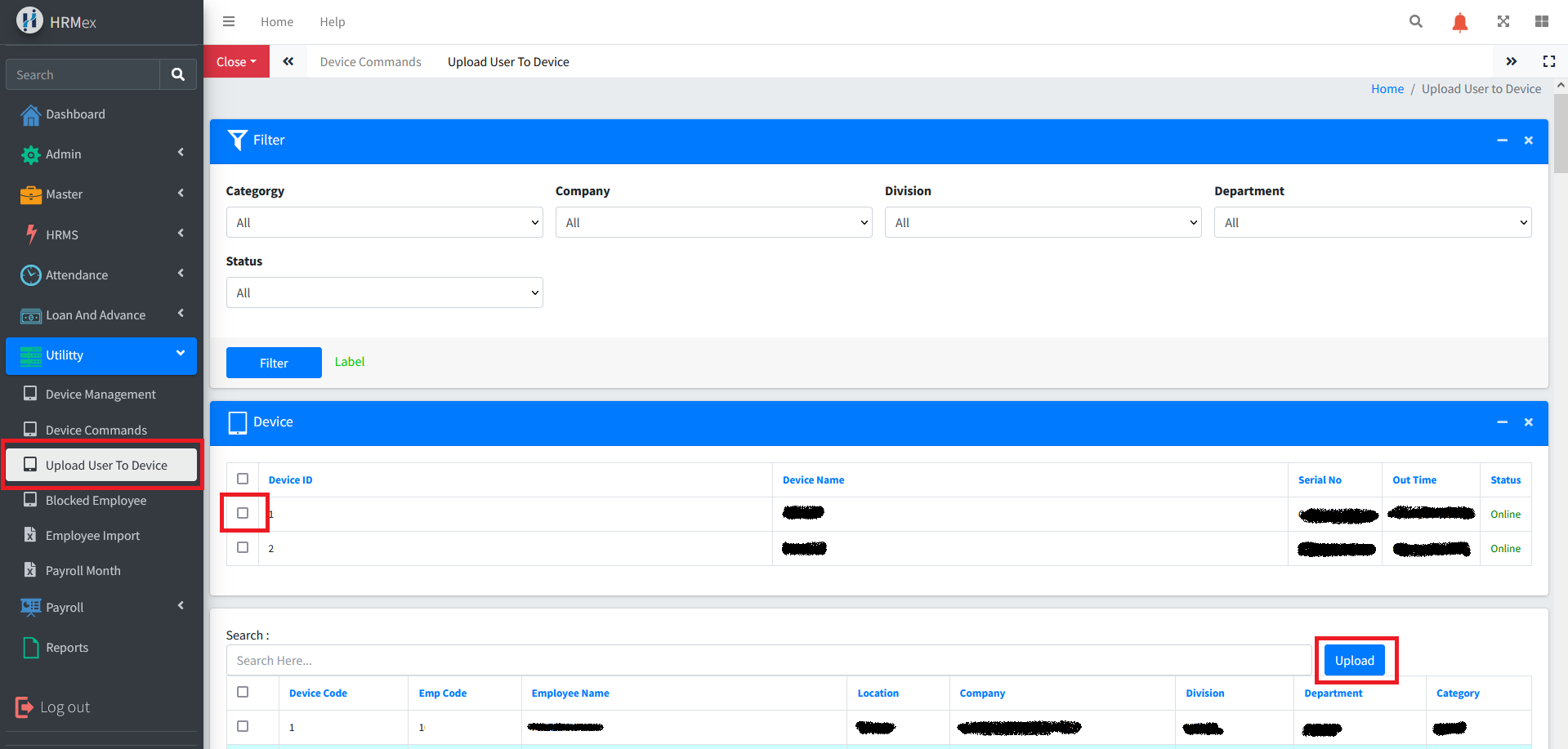
Accessing Upload User to Device
- Log in: Start by logging into the HRMex Time and Attendance software using your credentials.
- Navigate to Utility Menu: In the main menu, click on the "Utility" menu option.
- Access Upload User to Device: Within the Utility menu, locate and select the "Upload User to Device" option. This opens the Upload User to Device interface.
Uploading User Data to Devices
The Upload User to Device interface provides the tools necessary for uploading user data to registered devices. Here's how to use this feature:
Filter Employee List: Before uploading users, you can filter the list of employees based on categories, companies, divisions, departments, and their status. This allows you to focus on specific groups of employees for the upload.
Select Device: Choose the registered device to which you want to upload user data.
Select Employees: Select the employees you wish to upload to the device. You can select multiple employees as needed.
Click "Upload": After selecting the device and employees, click the "Upload" button to initiate the upload process. This may take some time, especially if you are uploading a large number of employees. The software will notify you once the upload is complete.
Benefits of Upload User to Device
- Efficiency: Easily import user data into registered devices for efficient attendance tracking.
- Customization: Filter and select specific groups of employees for the upload.
- Automation: Simplify the process of updating device data with selected employee information.
The "Upload User to Device" feature in HRMex Time and Attendance software streamlines the process of importing user data into registered devices, ensuring efficiency in attendance management and administration.