
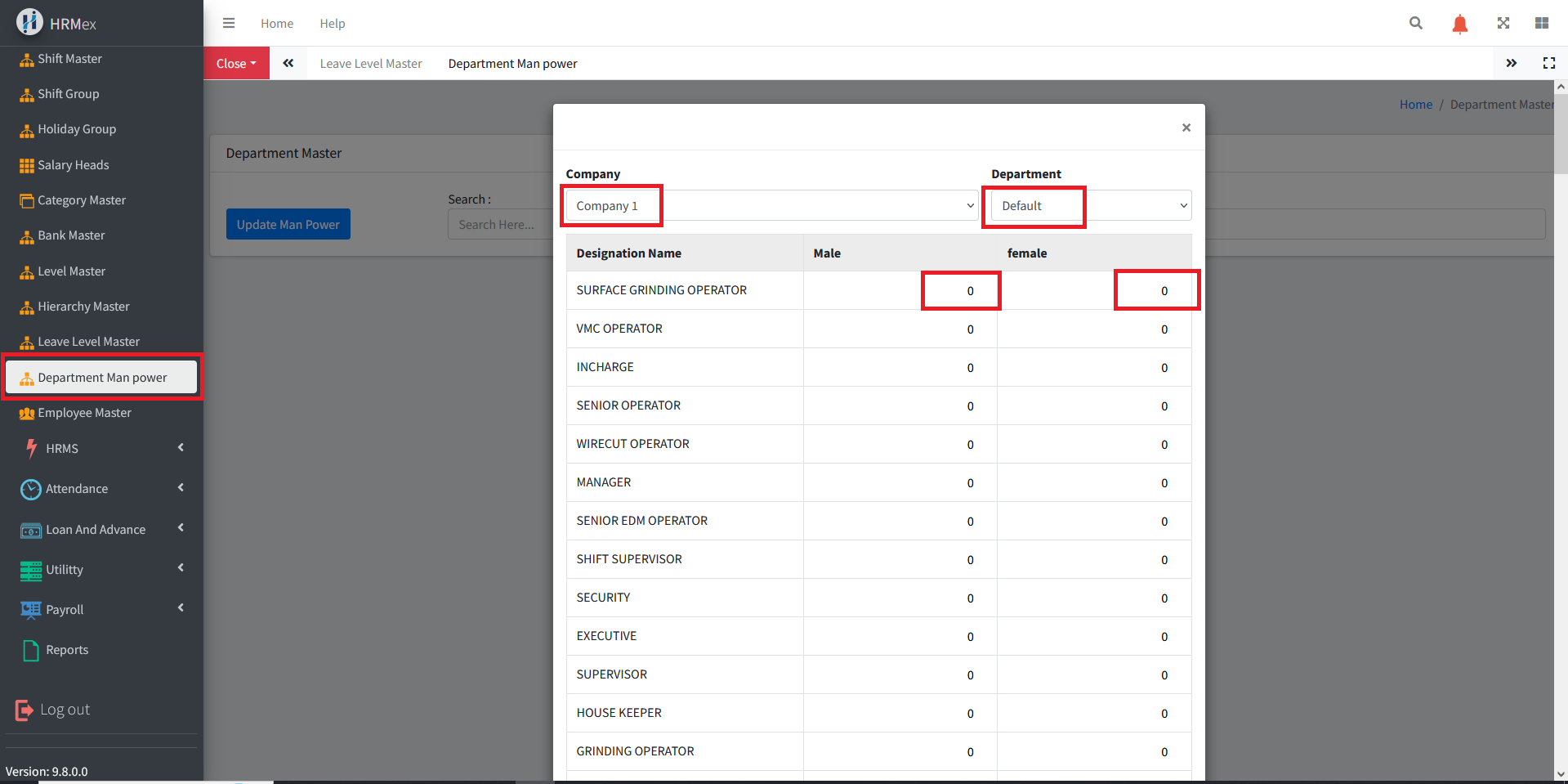
The "Department Man Power" feature in HRMex Time and Attendance software, accessible from the "Master" menu, is a crucial tool for maintaining and updating data related to the manpower in different departments. This feature allows users to keep track of the workforce in each department, contributing to efficient resource management.
Accessing Department Man Power
- Log in: Begin by logging into the HRMex Time and Attendance software using your credentials.
- Navigate to Master Menu: In the main menu, click on the "Master" menu option.
- Access Department Man Power: Within the Master menu, locate and select the "Department Man Power" option. This opens the Department Man Power interface.
Maintaining Department Man Power
The Department Man Power interface provides the tools necessary for maintaining and updating department manpower. Here's how to use this feature:
- Update Man Power: To keep the manpower data up-to-date, click the "Update Man Power" button.
- Select Company and Department: Choose the company and the specific department for which you want to update the manpower.
- Input Man Power: Enter the updated manpower count for the selected department.
- Save Changes: After inputting the correct data, save the changes to update the department manpower.
Benefits of Department Man Power
- Efficient Resource Allocation: Keep track of the workforce in each department for better resource allocation.
- Real-Time Man Power Data: Update manpower data regularly to reflect the current state of the organization.
- Accurate Reporting: Contribute to accurate reporting and decision-making with updated manpower information.
The "Department Man Power" feature in HRMex Time and Attendance software streamlines the process of maintaining and updating department manpower, facilitating efficient resource management within the organization.