
Employee Resign Process
Overview
The employee resignation process in HRMex Time and Attendance Software allows HR administrators to efficiently manage employee resignations and update their status in the system. This process involves updating the employee's details, setting a resignation date, and selecting an appropriate action for handling the employee's status in the biometric system. You can access the resign process from the Employee Master section under the Master menu.
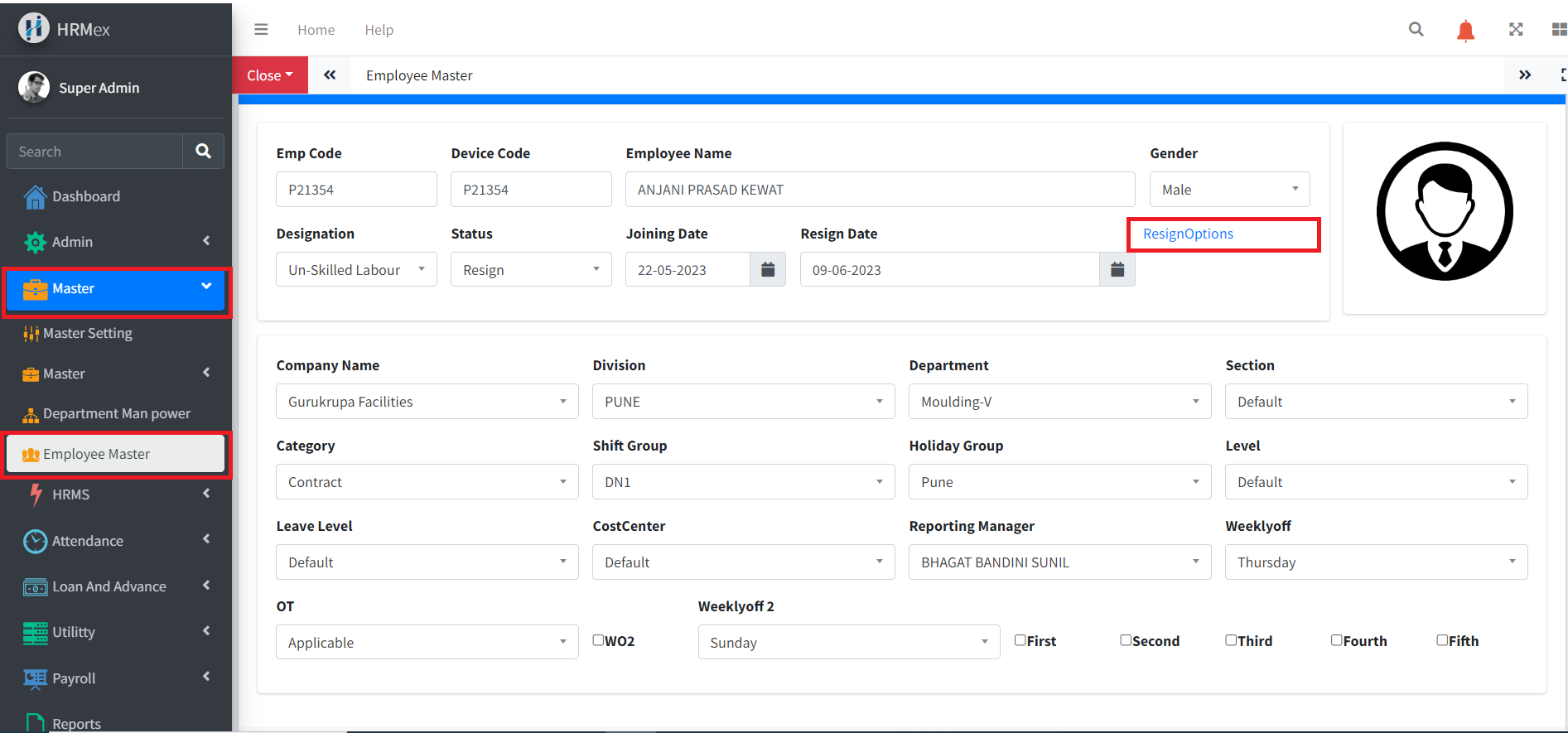
Accessing the Resign Process
Log in to HRMex: Begin by logging in to the HRMex Time and Attendance Software using your credentials.
Navigate to Employee Master: Access the Employee Master section from the Master menu.
Edit Employee Details: Locate and edit the details of the employee who is resigning.
Initiate Resign Process: Within the employee edit options, find the Resign Option to initiate the resign process.
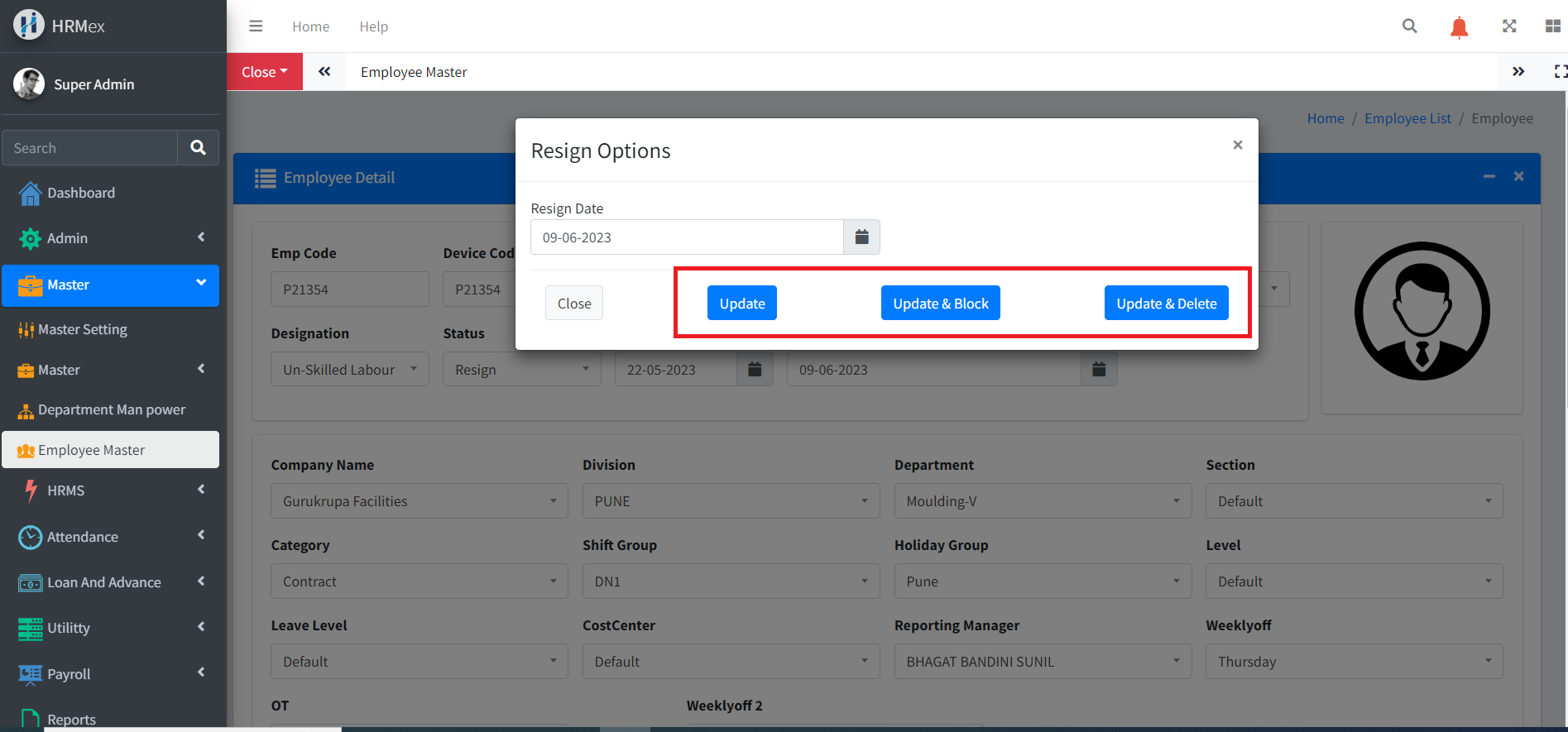
Resign Options
After initiating the resignation process, you'll encounter multiple options:
Set Resign Date: Specify the date on which the employee is resigning from their position.
Update for Normal Update: Select this option if you only need to update the employee's status without affecting their biometric data.
Update and Block Employee in Biometric: Choose this option to block the employee's access in the biometric system while retaining their data.
Update and Delete Employee for Biometric: Opt for this option to completely delete the employee's biometric data from the system.
Process Execution
Set Resign Date: Enter the resignation date to mark the employee's last working day.
Select Action: Choose the appropriate action based on the company's policy and requirements.
Normal Update: Use this option if no changes are needed in the biometric system.
Block Employee in Biometric: This option prevents the resigned employee from accessing the biometric system while retaining their data.
Delete Employee for Biometric: Select this option to remove the resigned employee's biometric data from the system entirely.
Confirmation: Confirm the selected action to execute the resign process.
Benefits of Employee Resign Process
The employee resignation process in HRMex Time and Attendance Software offers several benefits:
Efficiency: Streamlines the process of handling employee resignations, ensuring timely updates in the system.
Accuracy: Enables accurate recording of resign dates and appropriate actions to be taken in the biometric system.
Compliance: Helps maintain compliance with company policies and regulatory requirements regarding employee data management.
Security: Ensures that access to sensitive areas or systems is promptly revoked for resigned employees, enhancing security measures.
Conclusion
The employee resign process in HRMex Time and Attendance Software simplifies the task of managing employee resignations and updating their status in the system. By providing multiple options to handle biometric data, it ensures that the company's security measures are upheld while maintaining efficiency and compliance with relevant regulations.